
How to Walk in Virtual Reality: Your Guide
Learn how to walk around virtual reality with ease. This guide covers movement techniques, gear, and tips for a seamless VR experience.
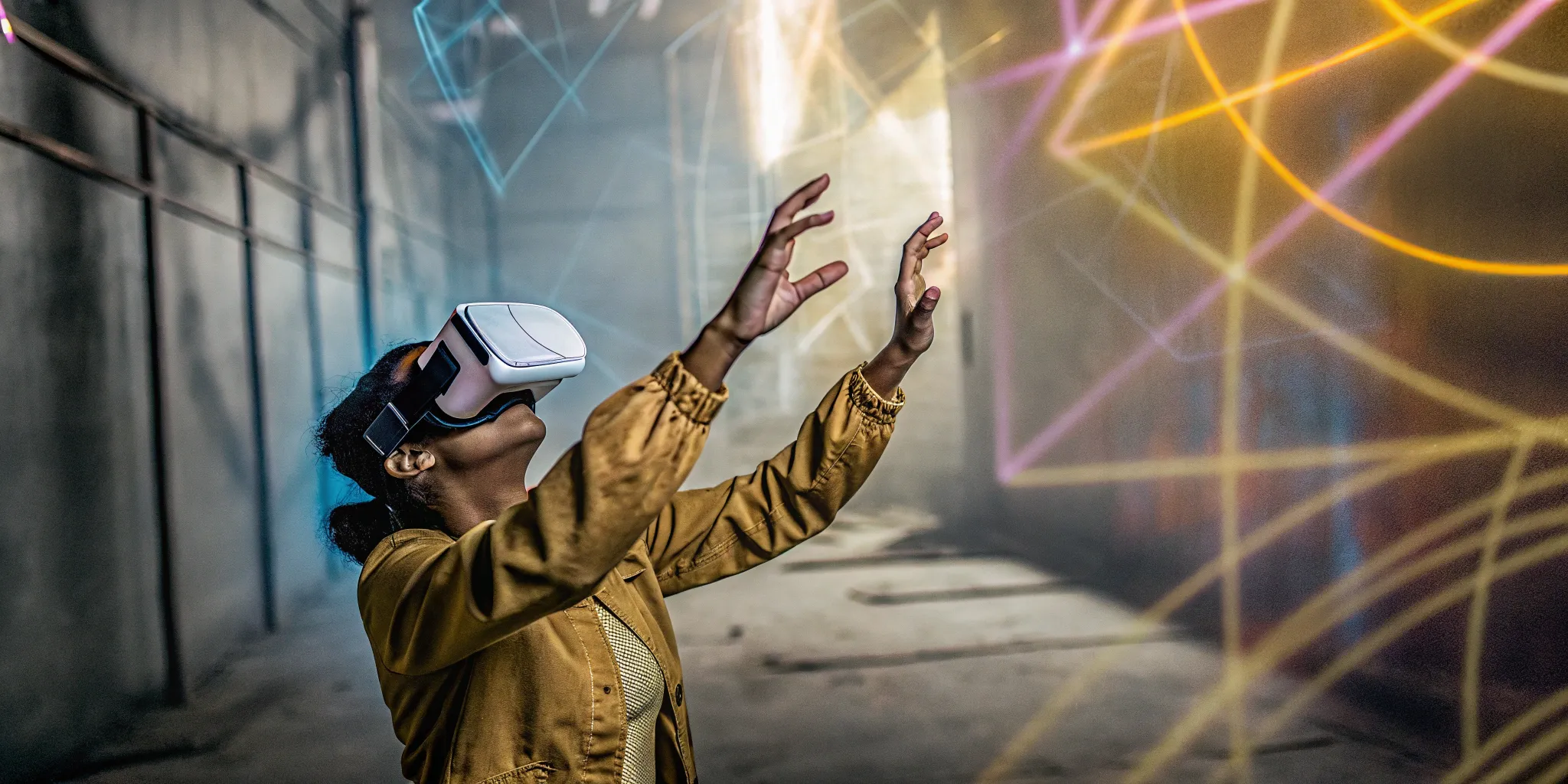
Experience natural movement in virtual reality with advanced tracking technology
The real magic of virtual reality isn't just what you see; it's what you do. The ability to move freely, to duck behind cover or explore a new world, is powered by some seriously clever technology. At its heart, VR locomotion is about translating your physical actions into the digital realm. Sophisticated motion tracking systems use sensors and cameras to watch your every step, lean, and turn, replicating them inside the game in real-time. This guide will demystify the tech that lets you walk in VR and show you how to get the most out of your virtual adventures.
Key Takeaways
- Your Body is the Best Controller: While joysticks and teleportation are common in at-home VR, physically walking in a free-roam space offers the most intuitive and immersive experience. When your real-world steps match your in-game movement, your brain fully buys into the new reality.
- A Safe Play Area is Essential for Immersion: To truly get lost in the game, you can't be worried about bumping into your coffee table. At-home VR requires clearing a space and using digital boundaries, while free-roam venues provide a massive, safe environment built for unrestricted movement.
- Listen to Your Body to Avoid Motion Sickness: That dizzy feeling comes from a disconnect between what you see and what you feel. You can prevent it by taking breaks and adjusting your headset properly. Professional free-roam systems also help by using ultra-low latency tech to keep your senses perfectly in sync.
How Do You Walk in Virtual Reality?
One of the first questions people have about VR is, "How do you actually move around?" It's a great question because movement is what separates virtual reality from simply watching a movie. Instead of being a passive observer, you're an active participant, walking, dodging, and exploring a new world with your own two feet. The technology that makes this possible is incredibly sophisticated, but the experience itself feels surprisingly natural. Let's break down how you go from standing in a room to battling aliens on another planet.
What is VR Movement Technology?
At its core, VR movement technology, or locomotion, is all about translating your physical actions into the virtual world. The most immersive systems use what's called position-based locomotion. This means sensors track your location and orientation in the real world and replicate those body movements inside the game. When you take a step forward in the play area, your virtual character takes a step forward, too. This one-to-one tracking is the key to creating a seamless experience that tricks your brain into believing you're actually in the game.
Different VR systems approach this challenge in different ways. High-end, free-roam setups like those found at dedicated VR venues use multiple cameras and sensors placed around the play area to track your exact position. Home systems might use cameras built into the headset itself or external sensors to monitor your movement. Regardless of the specific method, the goal is always the same: to make your virtual steps feel as natural as walking down the street.
Different Ways to Walk in VR
Not all VR experiences are the same, and there are a few different ways to get around. In free-roam VR, like the kind we have at Zero Latency, you physically walk around a large, open space. For at-home systems, you might use a controller's joystick to "slide" your character forward or use a teleportation method where you point to a spot and instantly appear there. As technology advances, we're also seeing more haptic feedback devices that can simulate sensations like pressure or resistance, making movement feel even more realistic.
How Motion Tracking Works
Motion tracking is the engine that powers VR movement. It works by using sensors to constantly monitor your position. In a free-roam setup, advanced cameras and sensors in the room track the equipment you're wearing. This is often called "outside-in" tracking. Many home headsets use "inside-out" tracking, where cameras on the headset itself scan the room to determine your location. A critical factor in all of this is latency—the delay between your physical movement and what you see in the headset. Ultra-low latency is essential for preventing motion sickness and maintaining immersion.
The Perks of Walking in VR
So, why does all this technology matter? Because natural walking is a game-changer for immersion. When your physical movements directly control your avatar, the line between the real and virtual worlds begins to blur. This creates a much more engaging and believable experience than just sitting on a couch with a controller. The power of this immersive movement is so effective that VR in healthcare is now used for things like physical therapy, helping patients regain mobility in a fun, engaging way.
What Gear Do You Need for VR Walking?
To step into a virtual world, you need the right equipment to bridge the gap between your physical movements and your in-game actions. The gear is what makes the experience feel real, transforming a simple game into a full-body adventure. Depending on the type of VR you're playing, your setup can range from a headset and controllers in your living room to a fully equipped, free-roam arena. Let's break down the essential pieces of tech that make walking in VR possible.
VR Headsets and Controllers
Think of a VR headset as your personal portal to another dimension. It fits over your eyes, displaying the virtual environment while blocking out the real world to create total immersion. As the technology improves, companies are focused on developing lighter, more comfortable headsets that enhance the user experience for longer play sessions. Your controllers act as your hands, allowing you to pick up objects, open doors, and interact with the world around you. Together, the headset and controllers are your gateway to experiencing virtual worlds as if they were real.
Motion Tracking Sensors
This is where the magic of movement happens. Motion tracking sensors are what allow a VR system to see your body and translate your physical steps into in-game walking. These sensors can be placed around a room for a home setup or integrated into the gear you wear in a free-roam experience. This technology is what enables a truly realistic walking experience, letting you duck, dodge, and move through the virtual space using your own two feet. Without motion tracking, you'd be stuck in one spot, which would make for a pretty boring adventure.
Haptic Feedback Devices
Have you ever wondered how you can feel things in VR? That's haptic feedback. These devices, often built into controllers or vests, use vibrations and pressure to simulate sensations like the recoil of a weapon, the impact of a virtual object, or the rumble of a nearby explosion. While not every VR setup includes advanced haptics, it's a key piece of essential equipment for VR that makes the world feel solid and believable. This technology turns seeing into feeling, pulling you deeper into the game.
Space and Safety Requirements
Walking in VR requires one crucial thing: a safe, open space. At home, you need to clear an area of furniture and other obstacles to avoid tripping while you're immersed. Most home systems have a digital boundary feature that warns you if you're getting too close to a wall. One of the biggest challenges in VR product development is making movement feel natural without compromising safety. This is why dedicated free-roam arenas are so great—the entire environment is custom-built for safe VR movement, letting you focus entirely on the adventure.
How VR Walking Systems Work
Have you ever wondered how you can run from zombies or explore alien planets without bumping into your living room wall? It all comes down to the clever ways VR systems handle movement. Different games and setups use different methods to get you from point A to point B, each with its own feel. Let's walk through the most common ways you'll get around in virtual worlds.
Walking Naturally in a Virtual Space
The most intuitive way to move in VR is to simply walk around, just like you do in real life. This is the magic of free-roam VR. In large, open playspaces like ours, advanced position-based locomotion systems use sensors to track your body's exact location. When you take a step forward, your in-game character does the same. This one-to-one movement creates a deep sense of presence, making you feel truly grounded in the virtual environment. There's no complex button-mashing to remember—just walk where you want to go.
Using a Controller to Move
For many at-home VR experiences, you'll use a controller to get around. Much like in a traditional video game, you push a joystick or thumbstick on your controller to make your character walk or run. This method is great for games set in massive worlds where you couldn't possibly walk the entire distance in your physical space. Developers have to carefully design these VR movement controls to feel as smooth as possible for each specific game and headset. While it requires a little learning curve, it opens up huge virtual worlds for exploration.
Getting Around with Teleportation
Another popular movement style is teleportation. With this method, you typically point your controller to a spot you want to go to, press a button, and instantly appear there. It might sound a bit like cheating, but it's a fantastic solution for a few common VR challenges. First, it's a great way to cover a lot of ground quickly without any physical effort. Second, and more importantly, it's one of the best ways to avoid motion sickness, since your brain doesn't have to process the disconnect between seeing movement and feeling stationary.
How Advanced Tracking Creates Realism
The secret sauce that makes VR movement feel so real is advanced motion tracking. High-tech sensors in the headset, in your controllers, and sometimes even on your body work together to capture your every move with incredible precision. When you duck behind cover, lean around a corner, or raise your arms to aim, the system translates those actions into the game in real-time. VR technology is constantly improving, with developers creating more comfortable gear and even more accurate tracking systems.
Interacting with Your Virtual World
Walking is just one part of the equation; true immersion comes from interacting with the world around you. This is where haptic feedback comes in. Haptic devices, often built into your controllers or a wearable vest, use vibrations and pressure to simulate the sensation of touch. You can feel the recoil of your weapon as you fire it, the gentle hum of a futuristic tool, or the impact of an enemy's attack. These haptic sensations bridge the gap between seeing the virtual world and actually feeling like you're part of it.
Common VR Walking Hurdles (And How to Clear Them)
Jumping into a virtual world is an incredible feeling, but like any new activity, it can come with a few small bumps in the road. If you've ever felt a little wobbly, run out of space, or had the tech act up, you're not alone. These are common challenges, especially for people using VR at home. The good news is that most of these hurdles are easy to clear with a few simple tricks. Think of it like learning to ride a bike—a little practice and a few adjustments can make all the difference.
The key is knowing what to expect and how to respond. From handling that dizzy feeling known as motion sickness to making sure you don't accidentally walk into your coffee table, we've got you covered. We'll walk through how to manage your space, stay safe, and deal with technical glitches like lag. We'll also cover how to keep your bearings in a new digital landscape and adjust your gear for maximum comfort. Understanding these basics will help you have a smooth, fun, and totally immersive VR experience from day one.
How to Handle Motion Sickness
If you've ever felt a bit queasy in VR, you've experienced what's often called simulation sickness. It happens when your eyes see movement that your inner ear doesn't feel, creating a sensory mismatch. People who are already prone to motion sickness in cars or boats might be more susceptible.
To keep your stomach settled, start with shorter VR sessions and take breaks the moment you feel off. Staying hydrated and pointing a fan at your face can also work wonders. In many games, you can switch your movement style to teleportation, which can instantly reduce nausea. Most importantly, ensure your headset is properly calibrated to your eyes and fits snugly. High-end, free-roam systems are built with ultra-low latency to minimize this sensory disconnect, making for a much more comfortable experience.
What to Do with Limited Space
One of the biggest challenges of at-home VR is simply not having enough room to move. It's easy to get so caught up in the game that you forget about the real-world coffee table or couch right next to you. This feeling of confinement can limit how freely you play and can even be a safety hazard.
Before you start, clear as much space as you can. Most VR systems have a built-in boundary feature that projects a virtual wall when you get too close to the edge of your play area—make sure you set it up! If your space is tight, stick to stationary games or those that use controller-based movement. Of course, the ultimate solution is to play in a dedicated arena. Free-roam VR venues provide a massive, open warehouse-scale space, so you can walk, run, and dodge without ever worrying about bumping into anything.
Staying Safe Within Your Boundaries
Safety is the foundation of a great VR experience. When you're fully immersed in a virtual world, it's surprisingly easy to forget where you are in the real world. That's why boundary systems are so important. These virtual walls appear in your headset when you get too close to the edge of your play area, reminding you to step back.
At home, take a few minutes before each session to double-check your boundaries and make sure your play area is clear of obstacles. Remove anything you might trip over or knock into, like coffee tables, chairs, or pet toys. If you're playing with friends, designate one person as a "spotter" to keep an eye on everyone's safety. In professional free-roam environments, trained staff monitor your session to ensure you stay safe while having maximum fun.
Dealing with Technical Lag
Nothing breaks immersion quite like lag—that annoying delay between when you move and when the virtual world responds. Technical lag can cause motion sickness and make games feel sluggish and unresponsive. Most modern VR systems are designed to minimize lag, but it can still happen, especially with older hardware or poor software optimization.
If you're experiencing lag at home, try closing other programs running on your computer, check that your headset is properly connected, and make sure your play area has good lighting for the tracking cameras. Sometimes, simply restarting your VR software can solve the problem. High-end, dedicated VR venues invest in top-tier hardware and software specifically optimized for ultra-low latency, so lag is rarely an issue in professional setups.
Getting Oriented in a New Virtual World
When you first put on a VR headset, it's common to feel a bit disoriented. You're standing in your living room one second, and the next, you're on an alien planet or in a zombie-infested city. This spatial confusion is totally normal and usually disappears within a few minutes as your brain adjusts.
Take your time to get your bearings when you enter a new virtual environment. Look around slowly, get a feel for the space, and identify key landmarks that will help you navigate. Many VR games include a brief tutorial or orientation period to help you get comfortable. Don't rush—give yourself time to adapt to each new world. The more you play, the faster you'll adjust to new environments.
Adjusting Your VR Gear for Comfort
An uncomfortable headset can turn an amazing adventure into a miserable experience. If your gear doesn't fit properly, you might experience blurry visuals, pressure points on your face, or neck strain. The good news is that most headsets are highly adjustable, and a few simple tweaks can make all the difference.
Start by adjusting the head strap so the headset sits securely without being too tight. The display should be centered over your eyes, and you should be able to see the entire virtual world clearly. If the image looks blurry, try adjusting the lens distance or cleaning the lenses. Take breaks every 30-45 minutes to rest your eyes and neck. Proper ergonomics are just as important in VR as they are when using a computer.
Taking Your First Steps in VR
Ready to take the plunge? Your first VR walking experience is going to be memorable—that moment when you realize you're not just playing a game, you're actually inside one. Whether you're setting up at home or visiting a dedicated VR venue, there are a few things you can do to make sure your first steps in virtual reality are as smooth and enjoyable as possible. Let's walk through what you can expect and how to prepare for an amazing experience.
The beauty of VR is that once you get the hang of it, moving around feels incredibly natural. Your body instinctively knows how to walk, duck, and dodge—the VR system just translates those familiar movements into the digital world. But like any new technology, there's a small learning curve. Don't worry if it takes a few minutes to feel completely comfortable. Everyone's first VR experience is a little different, and there's no pressure to be perfect right away.
What to Expect During Your First VR Session
When you first put on a VR headset, you might feel a moment of disorientation as your brain adjusts to the new environment. This is completely normal. You'll likely spend the first few minutes just looking around, marveling at how real everything appears. Don't rush into the action—take time to get comfortable with the space and the controls.
Your first movements might feel a bit cautious, and that's smart. Start with small steps and simple actions like picking up objects or pointing at things. As you get more comfortable, you'll naturally start moving with more confidence. Most people find that within 10-15 minutes, they're walking around the virtual world like they own the place. The key is to trust the technology and let your natural movements guide you.
Tips for a Smooth VR Walking Experience
Here are some insider tips to help you get the most out of your VR walking experience. First, wear comfortable, closed-toe shoes with good grip—you'll be doing some real walking, so treat it like any other physical activity. Dress comfortably and avoid loose jewelry or clothing that might get in the way.
Before you start, take a moment to familiarize yourself with the controllers and any safety features. Listen carefully to the safety briefing if you're at a VR venue, or read through the setup instructions if you're playing at home. Stay hydrated, especially during longer sessions, and don't hesitate to take breaks if you need them. Remember, VR is supposed to be fun, so don't push yourself if you're feeling uncomfortable.
Choosing Your First VR Walking Game
Your first VR game can set the tone for your entire VR journey, so choose wisely. For beginners, we recommend starting with something that has gentle movement and a comfortable pace. Puzzle games or exploration experiences are great for getting your VR legs without the intensity of action games.
If you're feeling adventurous and want to jump straight into the action, go for it! Just be aware that fast-paced games with lots of quick movement might be more challenging for first-time users. Many VR venues offer a variety of games with different difficulty levels, so you can choose something that matches your comfort level. The staff can also recommend games based on your experience level and what type of adventure you're looking for.
Ready to Walk in Virtual Reality?
Now that you understand how VR walking works, it's time to experience it for yourself. At Zero Latency VR Austin, our free-roam arena gives you the space and technology to move naturally through incredible virtual worlds. No boundaries, no limitations—just pure immersion.
Book Your VR Walking Adventure