
Your Perfect VR Gaming Setup: Gear for Any Budget
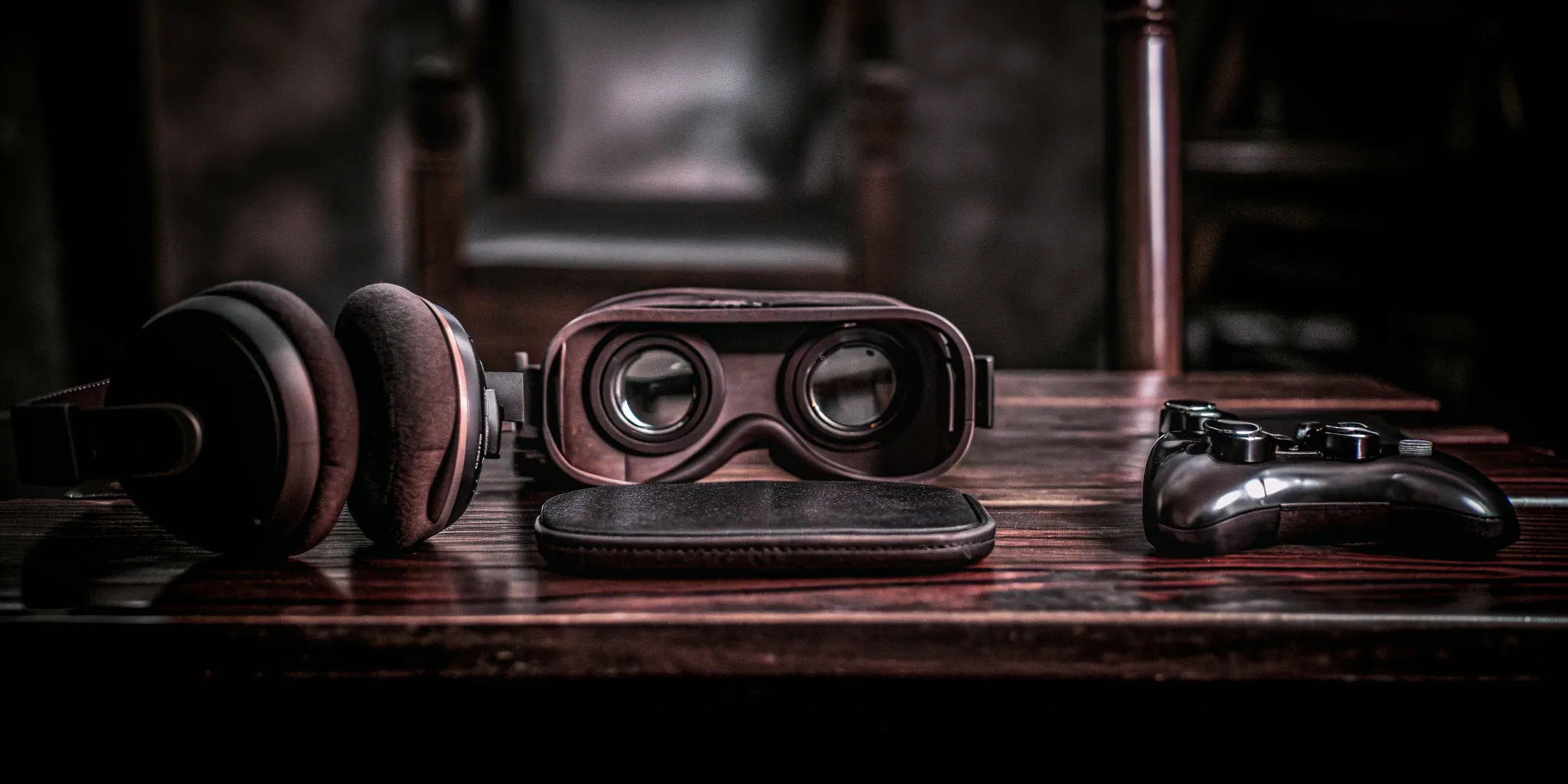
If you've ever experienced the freedom of a warehouse-scale VR arena, you know how incredible true immersion feels. Bringing a piece of that magic into your own home is more possible now than ever before. While you might not have a massive warehouse, you can still create a portal to other worlds with the right equipment. This guide will show you how to build a VR gaming setup that delivers a powerful sense of presence, whether you're starting with a simple standalone headset or assembling a high-end rig. We'll cover the gear, the space, and the optimizations needed to make your virtual adventures feel stunningly real.
Key Takeaways
- Choose a Headset That Fits Your Needs and Budget: Start with an all-in-one standalone headset for an affordable, wire-free experience, or connect a tethered headset to a PC or console if you want the highest graphical power for your games.
- Prepare Your Physical Space for Safe Play: A great VR experience depends on a safe environment. Clear a minimum 6.5 by 6.5-foot area, ensure the room has even lighting for tracking, and always use your system's virtual boundary to prevent collisions.
- Fine-Tune Your Setup for Comfort and Performance: Go beyond the default settings by adjusting graphics to balance visual quality with smooth gameplay. Simple accessories, like an upgraded head strap or an extra battery pack, can also make longer play sessions much more comfortable.
What Gear Do You Need for VR Gaming?
Putting together your own VR gaming setup can feel like a big project, but it really comes down to a few key decisions. Whether you're looking to dip your toes in with a simple setup or build a high-end rig, understanding the basic components is the first step. Think of it as gathering your supplies before you build something amazing. We'll walk through the essentials: the headset, the space you'll need, and how to get everything talking to each other. This will help you figure out what kind of experience you want to create at home.
The Core Components
The heart of any VR setup is the headset. This is the piece of gear that transports you into new worlds, so it's where you'll want to focus your research. Headsets generally fall into three categories. Standalone headsets like the Meta Quest 3 are fantastic all-in-one options that don't require a PC or console. If you're a console gamer, the Sony PlayStation VR2 connects directly to a PS5 for a stunning visual experience. For those with a powerful gaming PC, a headset like the Valve Index offers incredible tracking and controllers that even detect individual finger movements. You can find a great breakdown of the best VR headsets to see which one fits your needs and budget.
How Much Space and Power You'll Need
Next, think about your physical environment. For a truly immersive experience, you'll need a clear, safe area to move around in—at least a 6.5 by 6.5-foot space is a good starting point. Make sure the room has good lighting, as many headsets use cameras to track your position. Once your space is ready, consider the digital power source. If you're using a PC-based headset, the graphics card (GPU) is the most important component for running games smoothly. A card from the NVIDIA GeForce 40-series is a solid choice for most modern games. A good guide can help you create the perfect VR room setup that is both safe and functional.
Getting Everything Connected
Finally, you'll need to get all your gear working together. Your main choice here is between a tethered or a standalone headset. Tethered headsets connect to a PC or console with a cable, which delivers the highest graphical power but can limit your movement. Standalone headsets are wireless, giving you total freedom to move, which is a huge plus for active games. If you go the PC route, you'll want to spend some time in the settings to get the best performance. There are some excellent guides on optimizing PCVR performance that show you how to balance resolution and refresh rate for the smoothest gameplay your system can handle.
How to Choose the Right VR Headset
Picking a VR headset is the most exciting part of building your setup. It's your window into new worlds, so you want to make sure you choose one that fits your needs and budget. Think of it less like buying a monitor and more like finding the perfect pair of running shoes—what works for one person might not be the best for you. The right headset balances visual quality, comfort, tracking accuracy, and game compatibility.
When you're browsing options, you'll see a lot of technical specs. It's easy to get lost in the numbers, but we'll break down the most important factors to consider. We'll cover everything from how sharp the picture is to whether you want the freedom of a wireless device or the power of a tethered one. Your goal is to find a headset that feels great to wear and delivers an experience so immersive you forget you have it on. Let's walk through the key features to look for so you can make a choice you'll be happy with for years to come.
Understanding Resolution and Refresh Rate
Resolution and refresh rate are the two specs that determine how clear and smooth your virtual world looks. Resolution refers to the number of pixels in the display; more pixels mean a sharper, more detailed image. A high refresh rate, measured in Hertz (Hz), means the image updates more frequently, which creates smoother motion and helps reduce motion sickness. For the most immersive experience, you'll want a headset that delivers a sharp picture, especially when you're in a fast-paced game. The best VR headsets on the market prioritize both to make virtual environments feel incredibly real.
How Your Headset Tracks Movement
How a headset tracks your movement is critical for making you feel truly present in a game. Most modern headsets use "inside-out" tracking with cameras on the device itself, while some high-end systems use "outside-in" tracking with external sensors placed around your room. Both can work great, but the real magic is in the details. Advanced controllers can track individual finger movements, allowing you to interact with virtual objects naturally, like picking up a key or waving to a friend. This level of tracking deepens the immersion and makes your in-game actions feel intuitive and lifelike.
Finding a Comfortable Fit
You could have the most powerful headset in the world, but if it's uncomfortable, you won't want to wear it for long. Comfort is key. Look for a headset with a well-balanced design that doesn't feel too front-heavy. Adjustable straps and soft, breathable face cushions can make a huge difference during longer gaming sessions. Also, consider the device's weight and battery life if you're leaning toward a wireless model. A comfortable fit ensures you can stay focused on the adventure without being distracted by pressure points or a dying battery.
Wireless vs. Tethered: Which is for You?
This choice comes down to freedom versus power. Wireless (or standalone) headsets give you complete freedom to move around without worrying about tripping over a cord. They're incredibly convenient and perfect for getting a taste of VR. On the other hand, tethered headsets connect to a powerful PC or gaming console with a cable. This connection allows them to tap into more processing power, which means they can produce more detailed graphics and smoother gameplay. If top-tier visual quality is your main priority, a tethered headset is likely the way to go.
Making Sure Your Favorite Games Will Work
Before you commit to a headset, make sure it can play the games you're most excited about. Most headsets have their own game stores, like the Meta Quest Store or SteamVR, but not all games are available on every platform. Compatibility is essential, so do a little research first. Some of the most popular RPGs, like SkyrimVR, might even require mods to work perfectly, so it's worth checking community forums to see what other players say about the best VR gaming experience with your potential setup. A quick search can save you a lot of disappointment later.
Your First VR Setup (Under $500)
Jumping into virtual reality doesn't have to drain your savings account. Thanks to incredible advances in standalone technology, you can get a truly immersive setup for less than the price of a new game console. This budget-friendly approach is perfect for anyone curious about VR, allowing you to explore vast digital worlds without needing a high-powered gaming PC right out of the gate. The key is to choose a versatile headset that delivers a great experience on its own while giving you options to expand later.
For under $500, you can get a complete system that includes the headset, controllers, and access to a massive library of games and experiences. This price point makes VR more accessible than ever, removing the old barrier of needing thousands of dollars for a compatible computer and accessories. You can unbox your headset, charge it up, and be playing within minutes. This entry-level setup is not a compromise on quality, either. Modern standalone headsets offer sharp visuals, intuitive controls, and a level of immersion that was only possible with high-end systems just a few years ago. We'll cover the best headset to start with, what you need to run it, and a few tips for getting set up without stretching your budget.
The Best Entry-Level Headsets
For anyone starting their VR journey, the Meta Quest 3 is the undisputed champion. Coming in at $499.99, it packs a serious punch for its price. Because it's a standalone headset, you don't need to connect it to a computer or console—everything you need is built right in. It features sharp, clear displays and innovative color passthrough cameras that let you see your real-world surroundings, making setup a breeze. It's one of the best VR headsets available for beginners because it's comfortable, easy to use, and gives you immediate access to a huge library of games and apps.
Compatible Consoles and PCs
One of the biggest advantages of starting with a headset like the Meta Quest 3 is its flexibility. While it works perfectly as a standalone device, it can also connect to a gaming PC, either with a cable or wirelessly. This means you aren't locked into one ecosystem. You can start with the massive library of games available on the Quest store and, if you ever decide to build or buy a gaming PC, you can use your headset to play more graphically demanding titles from platforms like SteamVR. This versatility ensures your initial investment continues to pay off as your interest in VR grows.
Essential Accessories for Beginners
You don't need a lot of extras to get started, but one accessory can significantly improve your experience if you plan to play PC VR games wirelessly: a WiFi 6E router. While your standard router might work, a WiFi 6E model provides a faster, more stable connection between your headset and your computer. This is crucial for apps like Virtual Desktop, which stream games from your PC. A stronger connection reduces lag and stuttering, creating a much smoother and more immersive experience. If you want to dive deep, there are great community guides for optimizing PCVR performance.
How to Set Up on a Budget
If you want to get your total cost even lower, consider looking for used VR gear. Many people sell their headsets after only light use, which means you can often find a great deal on a like-new device. Websites like Facebook Marketplace or eBay are excellent places to start your search. Just be sure to check for any lens scratches and confirm that all the controllers and cables are included. Buying used is a fantastic way to get your hands on a quality headset while saving a significant amount of money, making it easier than ever to find a cheap PCVR headset and get in the game.
The Mid-Range VR Setup ($500-$1000)
If you've dipped your toes into VR and are ready for a more serious commitment, the mid-range is where you'll find the sweet spot between performance and price. This budget opens up access to headsets with sharper displays, better tracking, and more powerful processing, whether they're standalone units or tethered to a console or PC. You'll notice a significant jump in visual quality and overall immersion from entry-level gear, moving from "this is cool" to "I am actually here."
This is also the point where you might start thinking about building or upgrading a PC specifically for VR gaming. While some of the best headsets in this range don't require a PC, having one gives you access to a massive library of high-fidelity games on platforms like SteamVR. In this tier, you're not just playing games; you're investing in a quality experience that can transport you to new worlds with stunning clarity. It's all about finding the right balance of hardware that fits your space, your budget, and your gaming style, creating a setup that will keep you happily immersed for years to come.
Recommended VR Headsets for Leveling Up
In this price range, two headsets stand out for their incredible value and performance. The Meta Quest 3 is a fantastic all-around choice, especially if you want to avoid being tied to a computer. It's a standalone headset with a crisp, high-resolution display and a powerful processor that delivers amazing experiences right out of the box, completely wire-free.
If you're a PlayStation gamer, the Sony PlayStation VR2 is a no-brainer. It connects directly to your PS5 to deliver stunning graphics, haptic feedback in the headset itself, and innovative eye-tracking technology. It's incredibly user-friendly and offers a premium, console-based VR experience that's comfortable enough for long play sessions.
What Your PC Needs to Keep Up
If you're aiming for a PC-based VR experience, your computer's components are just as important as your headset. A powerful graphics card (GPU) is the heart of any VR-ready PC, as it does the heavy lifting to render immersive worlds. You'll want a modern card from NVIDIA's RTX series or AMD's Radeon RX series to handle the demands.
For your processor (CPU), look for something like an Intel Core i7 or a comparable AMD Ryzen chip. When it comes to VR, a faster clock speed is often more important than having a huge number of cores. Finally, make sure you have at least 16 GB of RAM, as this will help your games run smoothly without stuttering.
Accessories to Improve Your Experience
The right accessories can turn a good VR experience into a great one, especially when it comes to comfort. Many people find that a replacement head strap makes a world of difference. For example, a strap like the BoboVR S3 Pro can make the Quest 3 feel more balanced and comfortable for hours of play, and it often includes an extra battery pack.
Beyond comfort, you can also upgrade your controllers for better tracking and a more natural feel. While the controllers included with mid-range headsets are excellent, dedicated PC VR users might eventually invest in something like the Valve Index "Knuckles" controllers, which are known for their incredible finger-tracking capabilities.
Tips for a Smoother Performance
Once you have your gear, a few tweaks can make a huge difference. First, take the time to optimize your visual settings. Don't be afraid to adjust the in-game resolution and brightness until the image is sharp and clear, as blurriness can quickly take you out of the experience. Good, consistent lighting in your room is also key, as the headset's cameras use it to track your movement.
When you're ready to push your system, adjust your settings gradually. Instead of cranking everything to the max right away, start with the default settings. From there, you can slowly increase the resolution and refresh rate to find the perfect balance between visual quality and smooth performance for your specific setup.
The Ultimate VR Setup ($1000+)
If you've experienced the freedom of warehouse-scale VR and want to bring that level of immersion home, this is where you can make it happen. An ultimate setup is for the enthusiast who wants crisp visuals, seamless tracking, and an experience that feels incredibly real. This tier requires a significant investment in a high-end headset and a powerful PC to run it, but the payoff is a truly breathtaking virtual experience. You'll be able to play the most demanding games at their highest settings and feel completely transported to another world. This is less about just playing a game and more about building a portal in your own home.
Top-Tier VR Headsets
When budget isn't the primary concern, you can get your hands on some seriously impressive technology. The Meta Quest Pro offers advanced features like eye and face tracking, which makes social interactions in VR feel much more natural. For gamers who prioritize visual clarity above all else, the HTC Vive Pro 2 delivers one of the sharpest pictures available. If you want the most immersive controls, the Valve Index VR Kit is famous for its controllers that track individual finger movements, letting you interact with virtual objects just as you would in real life. These are some of the best VR headsets you can get for a premium home experience.
Pairing with a High-Performance PC
A top-tier headset is only as good as the computer running it. To power high-resolution displays without lag or stutter, you'll need a high-performance gaming PC. The most critical component is the graphics card (GPU). An NVIDIA GeForce RTX 4070 or 4080 is a great starting point, but for headsets with ultra-high resolutions, an RTX 4090 is often recommended to ensure a smooth and detailed experience. A powerful PC ensures you can turn all the graphics settings up to max and still get the high frame rates needed to keep you fully immersed and comfortable. You can find detailed VR budgeting guidelines to help plan your PC build.
Pro-Level Accessories for Full Immersion
The right accessories can turn a great VR setup into an incredible one. Comfort is key for longer play sessions, so consider upgrading your headset's stock strap. A replacement like the BoboVR S3 Pro can provide better balance and even include an extra battery pack to extend your playtime. Advanced controllers, like those included with the Valve Index, offer a new level of interaction by tracking your fingers. This allows for more intuitive actions like grabbing, pointing, and gesturing. These small additions make a huge difference in how connected you feel to the virtual world, making every movement feel more natural and believable.
Exploring Advanced Setup Options
Creating the ultimate VR setup goes beyond just the hardware; it's also about the space. To get the most out of your system, you'll want a dedicated area with plenty of room to move around safely. If you're using a headset that relies on external sensors for tracking, you'll need to ensure your room has adequate lighting. Thinking about your play space as a core part of the system will help you avoid tracking issues and allow for more dynamic movement. A well-planned space is the final piece of the puzzle for a truly immersive and professional-level VR room setup.
Must-Have Accessories for Any Budget
Once you have your core VR system, a few key accessories can completely transform your experience without breaking the bank. Whether you're looking to play longer, feel more immersed, or just keep your space tidy, there are smart upgrades for every setup. These add-ons are all about making your virtual adventures more comfortable, believable, and fun. Let's look at some of the best ways to enhance your gear, no matter your budget.
Audio Options for Immersive Sound
Great visuals are only half the story in VR; what you hear is just as important for true immersion. The sound of a spaceship roaring past or the subtle rustle of leaves can make a virtual world feel real. While most headsets have built-in speakers, a dedicated audio solution makes a world of difference. Consider investing in a quality pair of over-ear headphones to block out distractions. Many headsets also support spatial audio, which makes sounds feel like they're coming from specific directions around you. This not only deepens the experience but can also give you a competitive edge in games where hearing footsteps is key.
Upgrades for Longer, More Comfortable Play
If you plan on spending more than a few minutes at a time in VR, comfort is everything. An uncomfortable headset can quickly pull you out of the experience. Luckily, there are simple fixes. Look for accessories like padded head straps that distribute weight more evenly and soft, breathable face cushions that reduce pressure on your cheeks. For wireless headsets, an external battery pack is a game-changer, letting you extend your playtime without being tethered to a wall. These small upgrades make it easy to get lost in your favorite games for hours on end.
Better Controllers and Tracking Systems
Your controllers are your hands in the virtual world, so making them feel responsive and intuitive is crucial. While the controllers that come with your headset are a great start, upgrading can add a new layer of realism. Some of the best VR headsets offer controllers with advanced haptic feedback, which lets you "feel" virtual objects, like the tension of a bowstring or the impact of a sword. You can also add body trackers for full-body immersion, allowing your virtual avatar to mirror your real-life movements. These upgrades make your interactions within the game feel incredibly natural and direct.
How to Store and Organize Your Gear
Your VR setup is an investment, so you'll want to keep it safe and organized. Leaving your headset and controllers lying around is an easy way for them to get scratched, dusty, or damaged. A simple storage solution can make a big difference. Consider using wall mounts to keep your gear off the floor and out of harm's way. A dedicated stand or charging dock not only keeps everything in one place but also ensures your controllers are always ready for your next session. Proper storage solutions help prevent clutter and protect your equipment, keeping your play space clean and functional.
Solutions for Managing Cables
Nothing breaks immersion faster than tripping over a cable. For tethered headsets, managing your wires is essential for both safety and a seamless experience. Simple cable clips or sleeves can keep wires neatly bundled and routed away from your feet. For a more advanced setup, you might look into a ceiling-mounted pulley system that keeps the cable suspended above you, giving you complete freedom of movement. These VR optimization techniques are easy to implement and go a long way in making your VR space feel less cluttered and much safer to move around in.
Create Your Perfect VR Gaming Space
Once you have your gear, the next step is carving out a place to play. Your environment is just as important as your headset for creating an immersive and safe experience. You don't need a massive, empty room to get started, but a little planning goes a long way. The goal is to create a space where you can move freely and confidently without worrying about bumping into your coffee table or a curious pet. Think of your play area as your personal holodeck. It should be free of clutter and hazards, with the right conditions to help your headset track your every move accurately. We'll walk through how to design your layout, get the lighting just right, and establish some ground rules for safety, especially when friends join the fun.
Designing Your Room Layout
First, define your play area. Most VR systems recommend a minimum space, often around 6.5 by 6.5 feet, for a "room-scale" experience. Start by clearing the floor of any furniture, rugs, toys, or cables that could trip you up. It's a good idea to find a room with soft flooring like carpet, or you can place a small mat in the center of your play space. This gives you a tactile cue to know when you're in a safe zone without having to peek out of your headset. Consider the best practices for a VR room setup to ensure you have enough room to duck, dodge, and stretch your arms out fully.
Getting the Lighting and Environment Right
Getting the lighting right is key for accurate tracking. Your system needs consistent, even lighting to see the controllers and headset, especially if it relies on external sensors. As any guide to a perfect VR room setup will tell you, it's best to avoid rooms with direct sunlight or harsh glares that can interfere with tracking. Using curtains or blinds can help you control the light. For headsets with inside-out tracking, be mindful of reflective surfaces like mirrors or glossy floors. Covering them up can prevent tracking glitches and keep your experience smooth.
How to Stay Safe While You Play
Safety should always be your top priority. Once your space is clear, use your system's built-in boundary tool, often called a "guardian" or "chaperone." This feature lets you draw a virtual wall around your play area that appears when you get too close to the edge, preventing you from running into real-world objects. Always check for overhead obstacles like low-hanging lights or ceiling fans. It's also smart to let others in your home know when you're in VR so they don't accidentally walk into your play space while you're in the middle of an intense game.
Tips for a Multi-Player Setup
Bringing a friend into VR at home can be a blast, but it adds another layer of complexity. If you're setting up for a local multiplayer game, you need to ensure each player has their own clearly defined and separate play area. Communication is essential—talk to each other so you know where you are in the physical room to avoid collisions. For a truly seamless and safe group experience without worrying about bumping into each other, visiting a dedicated free-roam VR arena is a fantastic option. These large-scale spaces are designed specifically for multiple players to move around freely together.
Set Up and Optimize Your System
You've got the gear, and you've carved out your space. Now comes the fun part: bringing it all to life. Setting up your VR system is more than just plugging things in; it's about fine-tuning the experience to fit you and your hardware perfectly. A few adjustments can be the difference between a good VR session and a mind-blowing one. Taking a little time to optimize your settings will pay off with smoother gameplay, sharper visuals, and greater comfort, letting you forget about the tech and just lose yourself in the game. Whether you're a tech wizard or just want to get playing, these steps will help you get everything running smoothly so you can jump into new worlds without a hitch. Think of it as calibrating your portal to the virtual universe.
First Steps After Unboxing
That new-tech smell is exciting, but before you dive in, let's get the basics right. First, do a quick inventory to make sure all the cables, controllers, and accessories are in the box. Next, focus on your play area. You've already cleared the space, but now you need to think about the environment. A key part of a perfect VR room setup is having the right lighting. If your headset uses external sensors or cameras for tracking, they need to see the controllers and your headset clearly. Avoid direct sunlight, which can interfere with tracking and even damage your headset's lenses, but make sure the room is evenly and adequately lit. Once your space is ready, follow the manufacturer's instructions to plug everything in and install the necessary software.
Fine-Tuning Your Graphics and Settings
Your system's default settings are a great starting point, but you can often get better performance with a few tweaks. Dive into your VR headset's software (like the Oculus or SteamVR app) and find the graphics settings. Here, you can adjust the resolution and refresh rate. A higher refresh rate can make motion feel much smoother, while a higher resolution makes the world look crisper. The key is to find a balance your PC can handle. A great guide to optimizing PCVR performance suggests starting with the default and increasing settings one by one to see what your system can manage without stuttering. For an easy performance gain, try turning off real-time shadows in your game's settings, as they can be very demanding on your system.
Adjusting for Motion Comfort
If you're new to VR, you might experience a bit of motion sickness. Don't worry, it's pretty common, and your brain usually adapts over time. To ease into it, start with shorter play sessions and take breaks as soon as you feel uncomfortable. Many games have built-in comfort options, like teleportation movement instead of smooth locomotion, or vignettes that narrow your field of view during fast movement. Using these can make a huge difference. Developers work hard to avoid causing motion sickness, so explore the settings menu in each game to find what works best for you. Staying hydrated and having a fan blowing on you can also help trick your brain into feeling more grounded.
How to Solve Common Setup Issues
Even with the best gear, you might hit a snag. Maybe a controller won't track correctly, or a game won't launch. The first rule of tech troubleshooting is often the simplest: turn it off and on again. Restarting your headset and your computer can solve a surprising number of problems. If that doesn't work, check that all your cables are securely connected and that your software and drivers are up to date. Tracking issues are often caused by reflective surfaces or improper lighting, so check your environment. Remember, you're not alone; there are tons of online communities and official support pages to help. You can also find great resources that cover the common mistakes Quest 2 beginners make, which often apply to other headsets too.
Taking Care of Your VR Gear
Your VR setup is an investment, so you'll want to keep it in top shape. The most important rule is to keep your headset's lenses away from direct sunlight, as the sun's rays can get magnified and permanently burn the displays. When you're not playing, store your headset in its box or on a dedicated stand, safely away from pets or kids. To clean the lenses, only use a dry microfiber cloth—the kind you'd use for eyeglasses. Avoid using any liquids or harsh chemicals. Regularly wipe down the headset and controllers with a dry or slightly damp cloth to keep them clean. Taking a few minutes for proper care will ensure your gear lasts for years of virtual adventures and provide you with tips for making the best VR room setup last.
Future-Proof Your VR Setup
Investing in a VR setup is exciting, but the technology moves quickly. To make sure your gear stays relevant and enjoyable for years to come, it helps to think a few steps ahead. Future-proofing isn't about buying the most expensive equipment; it's about making smart, informed choices that align with your budget and gaming goals. By considering a few key factors, you can build a setup that grows with you and the ever-evolving world of virtual reality. This means planning for potential upgrades, understanding the lifecycle of VR hardware, and keeping an eye on new technology without getting caught up in waiting for the "next big thing." A little planning now ensures you get the most value and fun out of your investment down the road.
Planning Your Next Upgrades
As you get more into VR, your interests might change. You might start with casual games but later want to try intense flight simulators or creative apps. Some serious enthusiasts even own multiple headsets to cover different needs. While you don't need to go that far, it's wise to think about what your next step might be. For example, if you start with a standalone headset, your future upgrade path could involve a PC that can handle more demanding, high-fidelity games. Creating a simple roadmap for your setup helps you make smarter purchases. You can prioritize what's most important now while keeping an eye on components you might want to add later, like better controllers or a wireless adapter.
What to Know About Future Compatibility
VR headsets, like any tech, have a lifespan. It's important to know that many older models are no longer supported by their manufacturers. This means they stop receiving software updates, and game developers may not fix bugs or ensure new titles work on them. Before buying a headset, especially a used one, do a quick search to see if it's still actively supported. Checking a company's history with older products can give you a clue about their long-term support. This simple step can save you from investing in hardware that might become obsolete sooner than you'd like, ensuring you can keep playing the latest and greatest games without any hitches.
A Look at Emerging VR Tech
The world of VR is constantly changing, with new and improved headsets hitting the market regularly. While it's tempting to wait for the perfect device, you could end up waiting forever. Instead, it's helpful to stay aware of the general trends. Companies are always working on improving resolution, widening the field of view, and making tracking more precise. Following a few reliable tech publications can keep you informed about what's on the horizon. This knowledge helps you understand where the industry is headed and allows you to make a purchase you'll be happy with, knowing you've chosen a solid piece of current-generation technology.
Making Your Setup a Smart Investment
A VR setup can be a significant financial commitment, with costs ranging from a few hundred dollars to several thousand. A Meta Quest headset might be around $300, while a high-end system like the Apple Vision Pro costs closer to $3,500, not including the powerful PC needed for some setups. Making a smart investment means finding the right balance for your budget. Think about the total cost of ownership, which includes the headset, a compatible PC or console, accessories, and games. A great VR experience doesn't always require the most expensive gear; it requires the right gear for the types of games you want to play.
Related Articles
- Affordable Home VR Arcade: How to Bring the Experience Home
- Find the Best VR Arcade: Your Ultimate Guide
- Best VR Arcades in Austin: The Ultimate Guide
- Top Austin VR Arcades: Your Guide to Immersive Fun
- Your First Local VR Arcade Visit: What to Expect
Frequently Asked Questions
Do I really need a powerful gaming PC to get started with VR? Absolutely not! That's one of the biggest myths about modern VR. Standalone headsets like the Meta Quest 3 have everything you need built right in, so you can get a fantastic, immersive experience right out of the box without ever connecting to a computer. This is the perfect way to jump in without the major investment in a gaming rig.
I get motion sickness easily. Can I still enjoy VR? Yes, you definitely can. Many people feel a little off-balance at first, but your brain often adapts over time. The key is to start with shorter sessions and take a break the moment you feel uncomfortable. Many games also have built-in comfort settings, like teleportation movement, which can make a huge difference while you're getting your VR legs.
With so many options, what's the most important thing to consider when choosing a headset? It really comes down to how you want to play. If you value the freedom to move around without any cords and want a simple, all-in-one solution, a standalone headset is your best bet. If you're a graphics enthusiast with a powerful PC and want the absolute best visual quality, a tethered headset might be the right choice. Think about your main priority—convenience or power—and that will point you to the perfect headset for you.
My apartment is pretty small. How much space do I actually need? You don't need a giant, empty room to have a great time in VR. While some games benefit from a clear 6.5 by 6.5-foot area for room-scale play, many incredible experiences are designed to be played while sitting or standing in one spot. Just make sure you have enough space to stretch your arms out fully without hitting a wall or a lamp.
Is it worth spending extra on accessories right away? You don't need to buy a bunch of accessories on day one. The best approach is to use your headset for a while and see what you feel is missing. You might find that you want a more comfortable head strap for longer sessions or an extra battery pack because you love playing wire-free. Start with the essentials that come in the box and upgrade based on how you actually use your setup.