
Best VR Gaming Headsets & Games for Every Budget
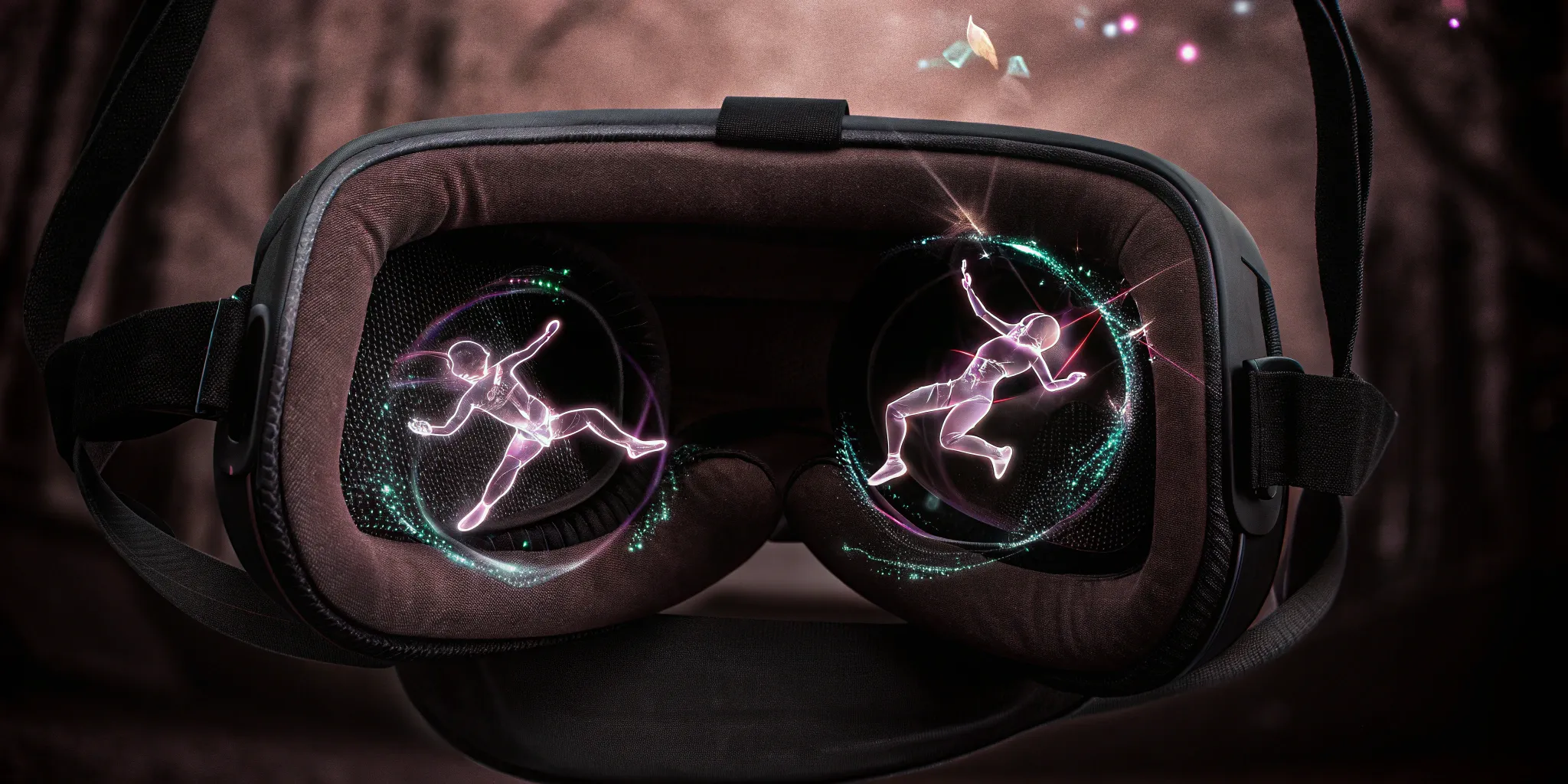
If you think video games are still about sitting on a couch with a controller, it's time for a new perspective. Virtual reality isn't just an upgrade; it's a total reinvention of what it means to play. It pulls you out of your chair and drops you directly into the action, turning your living room into a starship bridge, a zombie-infested city, or a fantasy realm. You don't just press a button to swing a sword—you physically swing your arm. This guide is your complete introduction to the world of VR, from understanding the technology to finding the best vr gaming experiences available, whether at home or in a full-scale arena.
Key Takeaways
- VR Transforms Gaming into a Physical Experience: It's about more than just what you see; it's about using your whole body to play and sharing that adventure with friends in a truly immersive, social space.
- Your Perfect Headset Balances Freedom and Power: The main choice is between a convenient, all-in-one standalone headset and a high-performance PC-tethered system. Focus on display quality and a high refresh rate to keep your gameplay smooth and comfortable.
- Experience Premium VR Without the Investment: VR arcades offer professional-grade equipment and room-scale adventures that home setups simply can't match, making them perfect for trying before you buy or for special occasions.
- Graphics and Comfort Define Your Experience: Look for at least 1832x1920 per eye resolution and 90Hz refresh rate to avoid motion sickness. Adjustable IPD (interpupillary distance) ensures clear vision for everyone.
- Budget Wisely for the Full Experience: Factor in not just the headset cost, but also controllers, tracking systems, and potentially a gaming PC upgrade. Remember that game libraries and subscription services add ongoing costs.
What is VR Gaming?
VR gaming is where digital worlds become tangible realities. Unlike traditional gaming, where you're an observer looking at a screen, VR places you inside the game world. You become the protagonist in a three-dimensional space where your physical movements translate directly into game actions.
The technology works through a combination of high-resolution displays positioned inches from your eyes, motion sensors that track your head and body movements, and spatial audio that creates a convincing soundscape. When you turn your head, the virtual world responds instantly. When you reach out to grab an object, your hand movements are mirrored in the game.
But VR gaming goes beyond just visual immersion. Haptic feedback through controllers provides physical sensations—you feel the recoil of a weapon, the texture of surfaces, or the impact of virtual objects. Some advanced systems even incorporate full-body tracking, allowing games to recognize when you're crouching, jumping, or leaning around corners.
The most transformative aspect of VR gaming is its social dimension. Multiplayer VR experiences allow you to see and interact with other players as avatars in shared virtual spaces. You can communicate through voice, gesture, and body language, creating a sense of presence that traditional online gaming can't match. Whether you're collaborating to solve puzzles, competing in virtual sports, or exploring fantastical worlds together, VR gaming becomes a shared adventure rather than a solitary activity.
Types of VR Headsets
The VR headset market has evolved into three distinct categories, each serving different needs and budgets. Understanding these categories is crucial for making the right choice for your VR gaming journey.
Standalone VR Headsets
Standalone headsets are the most user-friendly entry point into VR gaming. These self-contained units have everything built-in: the processor, storage, battery, and tracking systems. You simply put them on and start playing—no external devices required.
The biggest advantage of standalone headsets is their convenience. There are no cables to trip over, no complex setup procedures, and no need for a high-end gaming PC. They're perfect for casual gaming sessions, fitness apps, and social experiences. Many standalone headsets also support wireless PC connectivity, giving you the option to access more demanding games when needed.
However, this convenience comes with trade-offs. Standalone headsets have limited processing power compared to PC-tethered systems, which means less detailed graphics and shorter gaming sessions due to battery life constraints. The built-in storage is also limited, though many models support expandable memory.
PC-Tethered VR Headsets
PC-tethered headsets represent the premium tier of VR gaming. These headsets connect to a gaming computer via cable (or increasingly, wireless connections), leveraging the PC's processing power to deliver the highest quality VR experiences available.
The visual fidelity and performance capabilities of PC-tethered systems are unmatched. They can render complex environments with detailed textures, advanced lighting effects, and smooth frame rates that prevent motion sickness. These systems typically offer the widest field of view, highest resolution displays, and most precise tracking systems.
The main drawback is complexity and cost. You need a gaming PC with a powerful graphics card, which can cost as much as or more than the headset itself. Setup is more involved, requiring software installation, driver updates, and sometimes external tracking base stations. The cable connection can also limit movement, though wireless adapters are becoming more common.
Mobile VR
Mobile VR represents the budget-friendly entry point to virtual reality, though it's largely been superseded by affordable standalone headsets. These systems use your smartphone as both the display and processing unit, sliding into a headset frame that provides lenses and basic head tracking.
While mobile VR offers an inexpensive way to experience virtual reality, the limitations are significant. Smartphone processors aren't designed for VR workloads, leading to overheating and poor performance. The tracking is basic, usually only detecting head rotation without positional movement. Most importantly, the lack of dedicated controllers limits interaction to simple gazing or basic touch controls.
Mobile VR is primarily useful for 360-degree video content and simple experiences rather than full gaming. If you're serious about VR gaming, investing in a dedicated headset provides a significantly better experience.
Key Features to Consider
Choosing the right VR headset requires understanding several critical technical specifications that directly impact your gaming experience. These features determine everything from visual clarity to comfort during extended play sessions.
Display Quality and Resolution
The display is the window to your virtual world, making it perhaps the most important component of any VR headset. Resolution is measured per eye, and modern headsets typically range from 1832x1920 to 2880x1700 per eye. Higher resolution means sharper text, more detailed environments, and reduced screen door effect—the visible grid pattern that can break immersion in lower-resolution displays.
Beyond raw resolution, display technology matters. OLED panels offer deep blacks and vibrant colors but may suffer from persistence blur during fast movements. LCD panels provide consistent brightness and avoid burn-in but may have less contrast. Some newer headsets use mini-LED or micro-OLED technology for improved brightness and contrast.
Refresh rate is equally important, with 90Hz being the minimum for comfortable VR gaming. Higher refresh rates (120Hz, 144Hz) provide smoother motion and reduce motion sickness, especially during fast-paced games or quick head movements.
Field of View (FOV)
Field of view determines how much of the virtual world you can see without moving your head. A wider FOV creates a more immersive experience and better peripheral vision awareness. Most consumer headsets offer between 100-120 degrees horizontal FOV, compared to approximately 210 degrees for human vision.
However, wider FOV comes with trade-offs. It requires more processing power to render the additional visual area and can reduce the apparent resolution since the same number of pixels are spread over a larger area. The sweet spot for most users is around 110 degrees, balancing immersion with performance.
Tracking Systems
Tracking accuracy determines how precisely your movements translate into the virtual world. Modern VR headsets use two primary tracking methods:
Inside-out tracking uses cameras mounted on the headset to observe the environment and calculate position. This system is convenient since it doesn't require external hardware, but it can struggle in low-light conditions or environments without distinctive features.
Outside-in tracking uses external base stations or cameras to monitor the headset's position. This method typically provides more accurate and reliable tracking but requires setup and dedicated play space preparation.
Full-body tracking goes beyond head and hand movements to include leg and torso tracking. While not essential for most games, it enhances immersion in fitness applications and social VR experiences.
Interpupillary Distance (IPD) Adjustment
IPD is the distance between your pupils, which varies between individuals from about 54mm to 74mm. Proper IPD adjustment ensures the virtual world appears in sharp focus and prevents eye strain during extended use.
Some headsets offer mechanical IPD adjustment with a slider or dial, allowing precise customization for different users. Others use software-only adjustment, which may not provide optimal clarity for users with IPD measurements outside the designed range.
Budget-Friendly VR Options
Getting started with VR gaming doesn't require a massive investment. Several excellent entry-level options provide genuine VR experiences while keeping costs manageable. The key is understanding what compromises you're making and ensuring they align with your gaming preferences.
Meta Quest 2
Despite being succeeded by newer models, the Quest 2 remains an excellent budget choice, especially in the used market. Originally priced at $299-399, it can now be found for $200-250 used, making it one of the most affordable ways to enter VR gaming.
The Quest 2 features a 1832x1920 per eye resolution, 90Hz refresh rate (upgradeable to 120Hz for compatible content), and solid inside-out tracking. Its Snapdragon XR2 processor handles most standalone VR games well, and the headset supports both standalone and PC VR gaming through Quest Link.
The main limitations are the basic strap design (which can be uncomfortable during long sessions) and the requirement for a Facebook account. The visual quality, while good for the price, shows its age compared to newer headsets. However, for someone wanting to try VR without a large financial commitment, the Quest 2 provides excellent value.
PICO 4
The PICO 4 offers an alternative to Meta's ecosystem at a competitive price point around $400-500. It features a 2160x2160 per eye resolution, 90Hz refresh rate, and pancake lenses that provide a clearer image with a wider sweet spot than the Quest 2.
The headset includes a more comfortable halo strap design out of the box and doesn't require social media account registration. The color passthrough cameras enable better mixed reality experiences, and the overall build quality feels more premium than similarly priced competitors.
The main drawback is the smaller content library compared to Meta's Quest ecosystem. While it supports most major VR platforms through PC connectivity, the standalone game selection is more limited. Additionally, the PICO ecosystem is less established, with fewer accessories and third-party support options.
PlayStation VR2 (with PS5)
If you already own a PlayStation 5, the PSVR2 at $549 represents excellent value for high-end VR gaming. The headset features impressive specifications: 2000x2040 per eye resolution, 90-120Hz refresh rate, and advanced features like eye tracking and haptic feedback.
The PSVR2 benefits from Sony's first-party game development, with exclusive titles like "Horizon Call of the Mountain" showcasing the system's capabilities. The setup process is streamlined compared to PC VR, and the overall experience feels polished and console-like in its simplicity.
However, the PSVR2 is limited to PlayStation 5 compatibility and has a smaller game library than PC VR platforms. The controllers use a different design than most VR systems, which can create a learning curve for users familiar with other VR platforms.
Premium VR Gaming Setups
For enthusiasts seeking the absolute best VR experience, premium setups offer cutting-edge technology, superior comfort, and features that push the boundaries of what's possible in virtual reality. These systems require significant investment but deliver uncompromising performance.
Meta Quest Pro
The Quest Pro represents Meta's premium offering, designed primarily for enterprise and enthusiast users. Priced around $1,000, it features several advanced technologies not found in consumer-grade headsets.
The standout feature is eye tracking, which enables foveated rendering to improve performance and more natural social interactions in VR. The headset also includes face tracking for avatar expressions and improved color passthrough cameras for mixed reality applications.
The Quest Pro uses pancake lenses for improved visual clarity and a more compact form factor. The mini-LED display provides better contrast than traditional LCD panels, and the 1800x1920 per eye resolution is sharp enough for productivity tasks like virtual desktop work.
However, the Quest Pro faces stiff competition from newer headsets offering similar or better specifications at lower prices. The battery life is notably shorter than the Quest 3, and the gaming-focused feature set doesn't always justify the premium for casual users.
Apple Vision Pro
Apple's entry into VR/AR represents the absolute premium tier, with a $3,499 price tag that reflects its cutting-edge technology. The Vision Pro features the highest resolution displays available in consumer VR: 3660x3200 per eye using micro-OLED technology.
The headset's eye and hand tracking eliminates the need for traditional controllers, allowing intuitive interaction through gaze and gesture. The spatial computing approach blends virtual content seamlessly with the real world through high-quality passthrough cameras.
For gaming, the Vision Pro faces significant limitations. The lack of dedicated gaming controllers, limited game library, and primarily productivity-focused design make it less suitable for traditional VR gaming. However, its superior visual quality and innovative interaction methods hint at the future direction of VR technology.
Varjo Aero
The Varjo Aero targets the high-end enthusiast market with uncompromising visual quality. At around $2,000, it offers the sharpest displays available in consumer VR: 2880x2720 per eye resolution with no visible screen door effect.
The headset uses advanced aspheric lenses that provide edge-to-edge clarity and minimal distortion. The 90Hz refresh rate ensures smooth gameplay, and the superior optics make it ideal for simulation games where visual clarity is paramount.
However, the Varjo Aero requires external base stations for tracking and doesn't include controllers, adding to the total system cost. The headset is also heavier than most consumer options and requires a powerful gaming PC to drive its high-resolution displays effectively.
Must-Have VR Games
The VR gaming library has exploded in recent years, offering experiences across every genre imaginable. These essential games showcase the unique capabilities of virtual reality and provide hundreds of hours of engaging gameplay.
Action and Adventure Games
Half-Life: Alyx stands as the gold standard for VR gaming, demonstrating how traditional game design can be reimagined for virtual reality. The game's physics-based interactions, environmental storytelling, and atmospheric world-building create an experience that simply isn't possible on traditional platforms.
The game's weapon handling feels natural and intuitive—you manually reload by grabbing ammunition and inserting it into your weapon, physically aim down sights, and use your hands to interact with the environment in meaningful ways. The result is a level of immersion that transforms a familiar gameplay loop into something completely fresh.
Boneworks and its successor Bonelab push VR physics simulation to its limits. Every object in the game world has realistic weight and physics properties, allowing for creative problem-solving and emergent gameplay. The robust physics system means you can use virtually any object as a tool or weapon, leading to amusing and unexpected interactions.
Simulation and Strategy
Microsoft Flight Simulator in VR transforms aviation simulation into a breathtaking experience. The ability to look around the cockpit naturally, read instruments by leaning closer, and feel the scale of flying through realistic landscapes creates an unmatched sense of presence.
The learning curve is steep, but the payoff is extraordinary. Flying through mountain valleys, landing at iconic airports, or exploring your hometown from above becomes a meditative and awe-inspiring experience that showcases VR's unique capabilities.
Elite Dangerous offers a similar experience in space, placing you in the pilot's seat of futuristic spacecraft. The game's 1:1 scale galaxy provides virtually infinite exploration opportunities, and the VR implementation makes operating complex spacecraft controls feel natural and engaging.
Social and Creative Experiences
VRChat represents the social future of virtual reality, hosting millions of users in shared virtual spaces. The platform goes beyond simple chatting—users create custom avatars, build virtual worlds, and participate in community events ranging from dance parties to educational lectures.
The creativity on display in VRChat is remarkable. User-generated content includes everything from faithful recreations of real-world locations to fantastical environments that exist only in imagination. The social aspect adds unpredictability and genuine human connection that single-player games can't match.
Rec Room offers a more game-focused social experience, with built-in activities like paintball, quests, and sports games. The platform's family-friendly approach and intuitive creation tools make it accessible to users of all ages.
Fitness and Rhythm Games
Beat Saber has become synonymous with VR gaming for good reason. The rhythm game's simple concept—slicing beats with lightsabers—creates an addictive and energetic experience that appeals to both gamers and non-gamers alike.
The game's custom song support has created an active modding community, with thousands of user-created levels spanning every musical genre. The physical movement required makes Beat Saber an excellent fitness activity disguised as entertainment.
Supernatural and FitXR focus specifically on VR fitness, offering guided workouts set to popular music. These apps transform exercise from a chore into an engaging activity, with beautiful environments and professional instruction that rivals traditional fitness classes.
PC Requirements for VR
VR gaming places unique demands on computer hardware that differ significantly from traditional gaming. The requirement to render two separate images at high frame rates while maintaining low latency creates specific bottlenecks that must be addressed for optimal performance.
Graphics Card Requirements
The graphics card is the most critical component for VR gaming, as it must render two high-resolution images simultaneously at frame rates of 90Hz or higher. The minimum recommendation for entry-level VR is an NVIDIA GTX 1060 or AMD RX 580, but these cards will struggle with demanding games or higher resolution headsets.
For comfortable VR gaming across a wide range of titles, an RTX 3070 or RX 6700 XT represents a good balance of performance and price. These cards can handle most VR games at native resolution with good detail settings.
High-end headsets like the Varjo Aero or Pimax series require top-tier graphics cards. An RTX 4080 or better is recommended for driving ultra-high-resolution displays without compromises. The RTX 4090 provides headroom for future headsets and ensures smooth performance in the most demanding VR applications.
CPU and Memory Considerations
VR applications often require more CPU power than traditional games due to the physics calculations, tracking processing, and background services. A modern 6-core processor like the Intel i5-12400 or AMD Ryzen 5 5600X provides adequate performance for most VR gaming scenarios.
Memory requirements are typically higher in VR due to the need to keep multiple textures and assets loaded for both eyes. 16GB of RAM is the recommended minimum, with 32GB becoming more beneficial for high-end setups running background applications like streaming software or multiple VR platforms simultaneously.
Storage speed becomes more important in VR due to the larger texture files and the need for quick loading to prevent motion sickness during transitions. An NVMe SSD is highly recommended for storing VR games and applications.
USB and Display Connectivity
VR headsets often require specific USB connections for proper functionality. USB 3.0 or higher is typically required for tracking cameras and controllers, and some headsets benefit from dedicated USB controllers to avoid bandwidth conflicts.
PC-tethered headsets require DisplayPort connections, with newer headsets often requiring DisplayPort 1.4 or higher for full resolution and refresh rate support. Ensure your graphics card has the appropriate outputs before purchasing a PC VR headset.
Wireless VR Considerations
Wireless VR adapters like the HTC Vive Wireless Adapter or Quest's Airlink feature require additional system resources. Wireless streaming can add CPU overhead and requires a high-quality Wi-Fi 6 router for optimal performance.
The router's placement and configuration become critical for wireless VR. A dedicated 5GHz network with line-of-sight to the play area minimizes latency and prevents connection drops during gameplay.
Setting Up Your VR Space
Creating an optimal VR environment involves more than just plugging in a headset. The physical space, lighting conditions, and safety considerations all impact the quality and safety of your VR experience.
Space Requirements
Different VR experiences require varying amounts of physical space. Seated VR can be enjoyed in minimal space and is perfect for simulation games, puzzle games, and some adventure titles. This setup works well in smaller rooms or shared living spaces.
Standing VR requires enough room to extend your arms fully in all directions without hitting obstacles. A 6x6 foot area provides adequate space for most standing experiences while maintaining a safety buffer.
Room-scale VR offers the most immersive experience but requires the largest space commitment. A minimum 8x8 foot area allows for natural walking and full-body movement, though larger spaces provide even better immersion. Mark your boundaries clearly using your VR system's guardian or chaperone feature.
Lighting and Environment
Proper lighting is crucial for headsets using inside-out tracking. The room should be well-lit with consistent, non-flickering light sources. Avoid strong directional light that creates harsh shadows or backlighting that can confuse the tracking cameras.
Natural lighting can cause tracking issues as the sun moves throughout the day, changing shadow patterns and light levels. If possible, use consistent artificial lighting during VR sessions.
The environment should contain enough visual features for the tracking system to establish reference points. Plain white walls or mirrors can confuse tracking algorithms, while rooms with distinctive furniture, artwork, or textures provide better tracking stability.
Safety Considerations
VR safety begins with properly securing the play area. Remove or pad any sharp corners, fragile objects, or obstacles within the play space. Consider that your reach extends beyond your normal arm length when holding controllers.
Ceiling fans are a common hazard—ensure adequate clearance or consider temporary removal during VR sessions. Low-hanging light fixtures, artwork, or decorations should also be secured or relocated.
Always inform household members when you're using VR, as you'll be unaware of their movements through the space. Consider using a "VR in session" signal or door sign to prevent unexpected interruptions.
Take regular breaks to prevent motion sickness and eye strain. Start with shorter sessions (15-30 minutes) and gradually increase duration as you build your "VR legs." If you feel any discomfort, stop immediately and remove the headset.
VR Gaming Health and Safety
While VR gaming is generally safe when proper precautions are followed, the immersive nature of the technology introduces unique health considerations that traditional gaming doesn't present. Understanding these factors ensures a safe and enjoyable VR experience.
Motion Sickness and VR Sickness
VR sickness occurs when there's a disconnect between what your eyes see and what your inner ear feels. This sensory mismatch can cause symptoms ranging from mild discomfort to nausea, dizziness, and cold sweats.
The severity of VR sickness varies greatly between individuals. Some people adapt quickly and rarely experience discomfort, while others may need weeks to build tolerance. Factors that influence susceptibility include age, gender, previous motion sickness history, and individual vestibular system sensitivity.
To minimize VR sickness, start with comfortable experiences that use teleportation movement rather than smooth locomotion. Games with stationary gameplay or those that use your physical movement for in-game movement tend to cause fewer issues than those requiring joystick-based movement.
If you start feeling uncomfortable, stop immediately and remove the headset. Take a break in fresh air if possible, and avoid continuing until symptoms completely subside. Pushing through discomfort often makes the problem worse and can create lasting negative associations with VR.
Eye Strain and Visual Health
VR headsets place displays very close to your eyes, which can cause eye strain during extended use. The symptoms include dry eyes, blurred vision, headaches, and general fatigue.
Proper IPD adjustment is crucial for preventing eye strain. An incorrectly set IPD forces your eyes to work harder to achieve focus, leading to faster fatigue and potential discomfort. Take time to properly calibrate this setting for each user.
Follow the 20-20-20 rule adapted for VR: every 20 minutes, remove the headset and look at something 20 feet away for at least 20 seconds. This helps relax the focusing muscles and prevents strain buildup.
The current research on VR's long-term effects on vision is limited, but short-term use appears safe for most people. Children's eyes are still developing, so extra caution and shorter session times are recommended for younger users.
Physical Safety and Injury Prevention
VR's immersive nature can make you forget about your physical surroundings, leading to potential injuries from collisions with furniture, walls, or other people. Most VR-related injuries are minor—bumped knuckles, stubbed toes, or small cuts—but more serious incidents can occur.
Always use your VR system's boundary features, whether it's Guardian (Oculus), Chaperone (SteamVR), or similar systems. These safety nets alert you when you're approaching the edge of your safe play area.
Wrist straps on controllers aren't just for preventing drops—they're safety equipment. A controller slipping from sweaty hands can damage your TV, computer monitor, or worse, injure someone nearby.
Be especially careful during active VR games or fitness applications. The combination of intense movement, sweat, and immersion increases the risk of accidents. Ensure your play area is free of obstacles and consider using a fan for cooling to reduce sweating that can make controllers slippery.
Social and Psychological Considerations
Extended VR use can occasionally lead to temporary difficulties distinguishing between virtual and real experiences, particularly after long gaming sessions. This is usually mild and temporary, but it's worth being aware of.
VR's social aspects, while generally positive, can also present challenges. Online VR spaces may expose users to inappropriate content or behavior. Most platforms have reporting and blocking features, but parental supervision is recommended for younger users.
The immersive nature of VR can make it easier to lose track of time. Set timers or use built-in break reminders to ensure you take regular breaks and maintain a healthy balance between virtual and real-world activities.
The Future of VR Gaming
The VR industry is evolving rapidly, with technological advances promising to address current limitations while opening entirely new possibilities for interactive entertainment. Understanding these trends helps make informed decisions about VR investments and expectations.
Hardware Innovations
Display technology continues advancing at a rapid pace. Retinal resolution displays—screens with pixel density high enough that individual pixels are invisible to the human eye—are becoming commercially viable. Companies like Varjo and Apple have already demonstrated near-retinal clarity in premium headsets.
Optical innovations like varifocal displays will solve the vergence-accommodation conflict that causes eye strain in current VR systems. These displays can dynamically adjust focus based on where you're looking, mimicking how your eyes naturally focus on objects at different distances.
Pancake lenses are already improving form factors by dramatically reducing headset thickness while maintaining or improving optical quality. Future iterations promise even more compact designs that approach conventional eyeglass form factors.
Eye tracking is becoming standard in premium headsets, enabling foveated rendering that dramatically reduces computational requirements by only rendering high detail where you're actually looking. This technology will allow more detailed graphics on existing hardware and enable photorealistic visuals on future systems.
Haptic Feedback Evolution
Current VR primarily engages sight and sound, but the next frontier involves more sophisticated haptic feedback. Ultrasonic haptics can create the sensation of touching virtual objects without physical contact, using focused sound waves to stimulate nerve endings in your hands.
Full-body haptic suits are transitioning from research prototypes to consumer products. These systems can simulate everything from raindrops to bullet impacts across your entire body, adding a new dimension to VR immersion.
Thermal feedback adds temperature sensations to VR experiences. Imagine feeling the warmth of a virtual fire or the coolness of virtual snow—these systems are already in development and early commercial deployment.
Brain-Computer Interfaces
While still in early stages, brain-computer interfaces (BCIs) represent the ultimate VR control method. Companies like Neuralink and Meta are researching ways to interpret neural signals for direct thought-based control of virtual environments.
Near-term BCI applications might include detecting user intent to improve eye tracking accuracy or identifying emotional states to adjust game difficulty dynamically. Long-term possibilities include direct neural input and even shared consciousness experiences.
Mixed Reality Integration
The line between VR and AR (augmented reality) is blurring as mixed reality becomes more sophisticated. Future headsets will seamlessly blend virtual content with real-world environments, allowing games that utilize your actual furniture and room layout as part of the game world.
This technology will enable new game genres that simply aren't possible with traditional VR or AR alone. Imagine horror games that incorporate your actual dark corners or puzzle games that use your real furniture as interactive elements.
VR Arcades vs Home Setup
The decision between investing in a home VR setup or visiting VR arcades depends on your gaming habits, budget, and desired experiences. Each approach offers distinct advantages that serve different needs and preferences.
Advantages of Home VR
Convenience and accessibility are the primary benefits of home VR. Once your system is set up, you can jump into virtual worlds whenever the mood strikes, without travel time or venue hours constraints. This spontaneous access encourages regular use and makes VR a natural part of your entertainment routine.
Privacy is another significant advantage. You can experiment with new games, practice skills, or simply enjoy experiences without feeling self-conscious about your performance or reactions. Social VR experiences also feel more natural when you're comfortable in your own space.
Long-term cost efficiency favors home ownership for frequent users. While the initial investment is substantial, the per-hour cost decreases dramatically with regular use. Home systems also provide access to the full spectrum of VR content, including early access games, adult content, and niche applications that arcades might not offer.
Customization options abound with home setups. You can optimize your play space, choose accessories that match your preferences, and modify or mod games to your liking. The system grows with your interests and skill level.
Benefits of VR Arcades
Professional-grade equipment represents the most compelling arcade advantage. Commercial VR installations often feature hardware that costs tens of thousands of dollars—systems with room-scale tracking that covers entire rooms, haptic feedback platforms, environmental effects like wind and temperature changes, and graphics processing power that exceeds home possibilities.
VR arcades excel at social experiences that simply can't be replicated at home. Multiplayer experiences with friends in shared physical space create memories and social bonds that online multiplayer can't match. The shared excitement, communication, and cooperation that occurs when groups experience VR together adds a social dimension that enhances the entertainment value.
The try-before-you-buy aspect of arcades is invaluable for newcomers to VR. You can experience different headset types, play various game genres, and understand what VR gaming involves before making a financial commitment. This exposure helps you make informed decisions about home equipment purchases.
Maintenance and technical support are handled by arcade staff, eliminating the frustration of troubleshooting hardware issues, updating software, or dealing with compatibility problems that can plague home setups.
Hybrid Approach
Many VR enthusiasts find that a combination approach works best. A modest home setup for daily gaming and exploration, supplemented by occasional arcade visits for premium experiences and social gaming, provides the benefits of both approaches.
Start with arcade visits to understand your VR preferences, then invest in home equipment that matches your discovered interests. Continue using arcades for special occasions, group events, or to experience cutting-edge technology that isn't yet affordable for home use.
Conclusion
Virtual reality has transformed from a futuristic concept to an accessible reality that's reshaping how we think about gaming and interactive entertainment. Whether you're drawn to the convenience and customization of home VR or the premium experiences and social aspects of VR arcades, there's never been a better time to explore what virtual reality has to offer.
The key to a successful VR journey is understanding your preferences, budget, and goals. Start with clear expectations—VR gaming is different from traditional gaming in ways that go beyond just visual immersion. It's more physical, more social, and often more emotionally engaging than screen-based entertainment.
For newcomers, consider starting with arcade experiences to understand what VR gaming involves and which genres appeal to you. This exploration phase helps inform home equipment decisions and prevents costly mistakes.
If you decide to invest in home VR, prioritize comfort and safety alongside performance. A headset that causes discomfort will gather dust regardless of its technical capabilities. Invest in proper accessories, take time to set up your space correctly, and don't rush the acclimatization process.
Remember that VR is still an evolving technology. Today's premium features become tomorrow's standard offerings, and new innovations regularly change the landscape. Buy for your current needs rather than trying to future-proof extensively, and enjoy the incredible experiences that are available right now.
The virtual frontier awaits, offering adventures limited only by imagination. Whether you're piloting starships, solving mysteries in impossible architectures, or simply sharing virtual spaces with friends around the world, VR gaming represents a fundamental shift in how we play, connect, and explore digital worlds. The question isn't whether you should try VR gaming—it's which amazing experience you'll try first.