
Virtual Reality for Beginners: Your Complete Guide
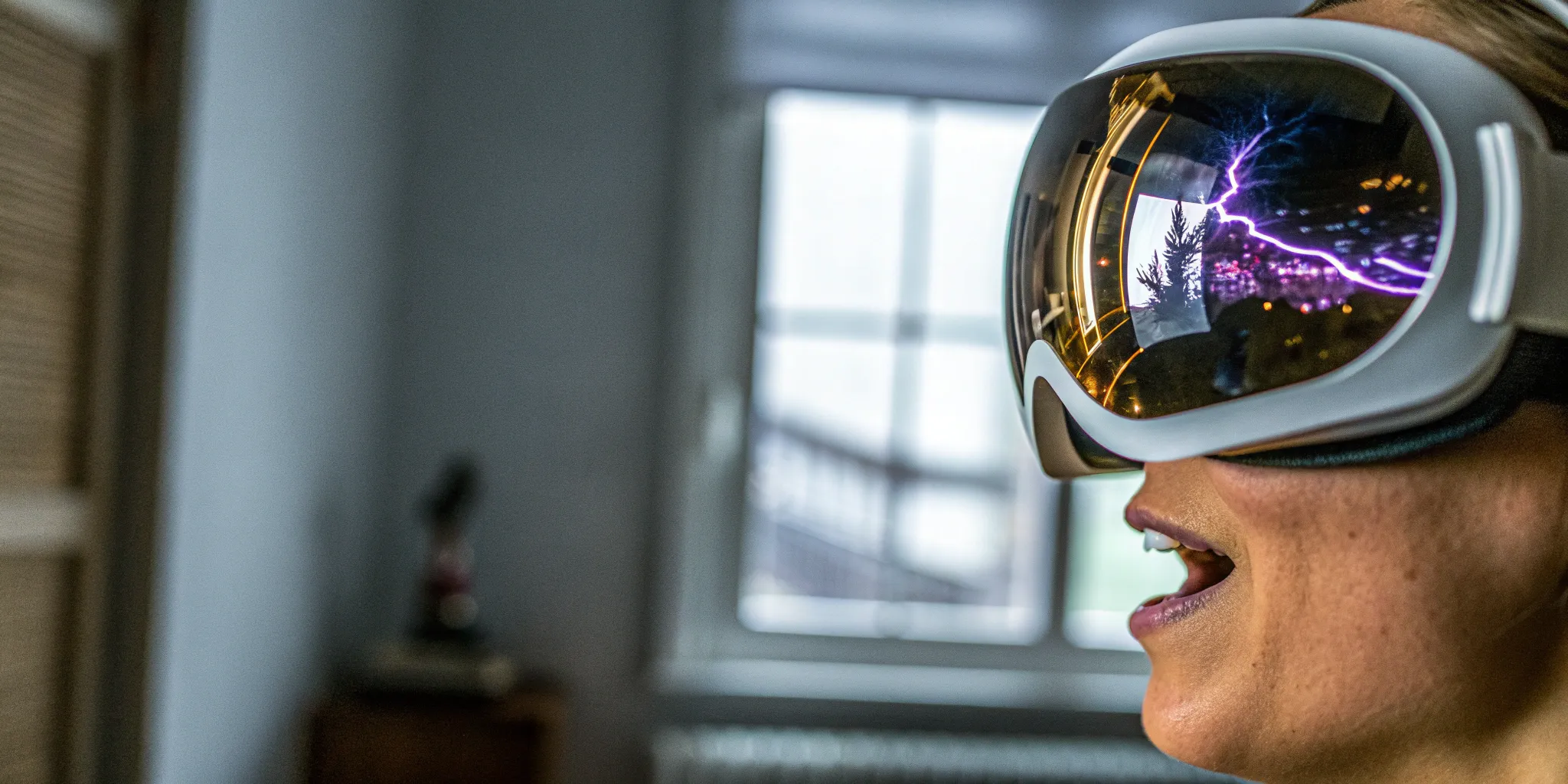
Let's clear the air on a few things. You don't need to be a hardcore gamer to love VR, it doesn't have to cost a fortune, and no, you won't necessarily get motion sickness. A lot of myths can stop people from trying one of the most exciting new ways to play, socialize, and explore. This article is your practical guide to virtual reality for beginners, designed to answer your real questions and bust common misconceptions. We'll cover what you need to know to get started, from choosing a headset to finding comfortable experiences, so you can feel confident and prepared for your first session.
Key Takeaways
- Choose Your Adventure Style: Understand the main types of VR to find your perfect fit. Standalone headsets are great for easy, wire-free home use, while free-roam arenas offer the most immersive, large-scale group experiences.
- Set Yourself Up for Success: A great first experience is all about preparation. Clear a safe play area, start with shorter 15-30 minute sessions to get your bearings, and take breaks whenever you need them.
- Explore Everything VR Offers: Virtual reality is a massive world of possibilities beyond gaming. Use it to connect with friends in social spaces, get a fun workout, or learn a new skill in an immersive environment.
What Exactly Is Virtual Reality?
Think of virtual reality (VR) as stepping through a screen into a whole new world. Instead of just watching a movie or playing a game on a flat display, VR puts you right in the middle of the action. When you put on a headset, your surroundings are replaced with a digital environment that you can see and interact with in every direction. It's a fully immersive experience that tricks your brain into believing you're actually there.
When you turn your head, your view changes just like it would in real life, giving you a complete 360-degree perspective. Your physical movements are translated directly into the virtual space, so when you walk, duck, or reach out your hands, your digital avatar does the same. This direct connection between your body and the virtual world is what makes VR feel so real and exciting. It's not about controlling a character with a joystick; it's about becoming the character. Whether you're exploring ancient ruins, battling zombies, or solving puzzles in a fantastical landscape, VR makes you the hero of your own adventure.
How Does VR Actually Work?
So, how does a headset transport you to another dimension? It's a clever combination of technology working together. The VR headset itself uses a screen (or two, one for each eye) to show you the virtual world, along with built-in headphones for realistic audio. This combination of sight and sound is the first step to making you feel present.
Next, you have controllers, which act as your hands in the virtual space. They allow you to pick up objects, use tools, or interact with the environment. Finally, a tracking system follows your movements. Sensors in the headset and around your play area monitor where you are and what you're doing, ensuring that your real-life actions are perfectly mirrored in the game. All these pieces work in sync to create a seamless and believable experience.
The Core Parts of a VR System
To get started with VR at home, you typically need a few key components. The first is the VR headset, also known as a head-mounted display (HMD), which is your portal to the virtual world. You'll also need controllers to interact with your new environment. Depending on the system, you might need a powerful computer or a gaming console to run the software.
A crucial, and often overlooked, part of the system is your play area. You need a safe, open space free of obstacles to move around in. This entire setup, including the positional tracking system that follows your body, works together to bring the experience to life. Of course, you can also skip the home setup and visit a place like Zero Latency VR, where all the gear is provided for you.
VR Myths vs. Reality
There are a lot of misconceptions floating around about virtual reality, so let's clear a few things up. One of the biggest myths is that VR is only for hardcore gamers. In reality, VR offers a huge range of experiences, from social chat rooms and fitness apps to educational tours and creative tools.
Another common concern is motion sickness. While it was an issue with older technology, modern VR systems have gotten much better at reducing it, and there are plenty of comfort settings to help you adjust. Many also believe VR is too expensive, but with more affordable standalone headsets and pay-per-play arenas, it's more accessible than ever. VR isn't just a passing fad; it's a powerful technology with endless applications that are just beginning to be explored.
A Look at Different VR Experiences
Not all virtual reality is created equal. The gear you use plays a huge role in shaping what you see, feel, and do, and understanding the main categories is the first step to finding the experience that's right for you. Think of it like choosing a vehicle: a scooter is great for zipping around town, while an RV is built for long-haul adventures with friends. Similarly, VR setups range from simple, all-in-one headsets perfect for a casual game in your living room to sprawling, warehouse-scale arenas designed for ultimate group immersion.
Your choice will depend on what you're looking for. Are you a tech enthusiast who wants the absolute best graphics? Or are you a beginner who just wants to dip your toes in without a complicated setup? Maybe you're a console gamer looking to expand your library, or perhaps you want a social experience you can share with your team or family. Each type of VR offers a different balance of performance, freedom of movement, and convenience. As you explore the options, consider your budget, the physical space you have available, and whether you prefer to play solo or with a group. Let's walk through the most common types of VR so you can see what each one brings to the table.
Standalone Headsets: No PC Needed
If you're looking for the easiest way to get started, standalone headsets are your best friend. These all-in-one devices don't need to be connected to a computer or a console, which means no messy cords to trip over. You just put on the headset, grab the controllers, and you're ready to go. This freedom makes them perfect for beginners who want a straightforward setup. While they might not have the same graphical power as their PC-tethered cousins, their ease of use and portability are a huge plus. They offer a fantastic introduction to VR and let you explore virtual worlds without being tied down.
PC VR: Power and Performance
For those who crave top-tier graphics and performance, PC VR is the way to go. These headsets connect directly to a powerful computer, using its processing muscle to render incredibly detailed and realistic virtual environments. This setup is ideal for gamers and enthusiasts who want the most visually stunning experience possible. The main trade-off? You're usually tethered to the PC by a cord. While this ensures a high-quality connection, it can limit your movement and sometimes pull you out of the moment. If visual fidelity is your top priority and you don't mind the cable, PC VR delivers an unmatched level of detail.
Console VR: Gaming on Your Favorite System
If you're already a console gamer, jumping into VR can be a seamless next step. Headsets like the PlayStation VR are designed to work with their specific consoles, offering a plug-and-play experience that's optimized for gaming. You get a smooth, reliable performance without needing to invest in an expensive gaming PC. The screen quality is solid, and the game library is full of great titles. The experience is, however, limited by the power of the console itself. It's a fantastic middle ground that provides a high-quality, accessible VR gaming experience for players who are already part of a console ecosystem.
Free-Roam VR: The Ultimate Immersion
Imagine stepping into a virtual world with no wires and the freedom to walk, run, and explore a massive space. That's the magic of free-roam VR. Instead of being confined to a small area in your living room, you and your friends can move around together in a large, open arena. This is the most immersive type of VR because your real-world movements translate directly into the game. These immersive experiences allow you to physically duck behind cover or walk to the edge of a virtual cliff, creating a sense of presence that's impossible to replicate at home. It's a social, active, and unforgettable way to experience virtual reality.
How to Set Up Your VR Space
Getting your space ready for virtual reality is the first step to a great experience. Whether you're setting up a headset at home or visiting a VR arena, a safe and clear area is key to letting yourself get fully lost in the game. At home, this means doing a little prep work to make sure you don't accidentally punch a wall or trip over a coffee table. The goal is to create an environment where you can move freely without worrying about the real world.
Of course, if you'd rather skip the setup, you can always visit a free-roam VR arena. Places like Zero Latency VR are designed with wide-open, obstacle-free spaces, so all you have to do is show up and play. But if you're diving into VR at home, a few simple steps will ensure your virtual adventures are both fun and safe. Let's walk through how to prepare your play area.
Finding the Right Amount of Space
Before you put on the headset, you'll want to clear a space where you can move around. For most at-home VR experiences, a 10-foot by 10-foot square is a great starting point. This gives you enough room to step, dodge, and reach without bumping into your surroundings. Take a moment to move any furniture like chairs, tables, or lamps out of the way. You'll also want to check for any tripping hazards on the floor, like rugs or cables. The more open space you have, the more you can focus on the game instead of what's around you.
Simple Rules for Staying Safe
Safety in VR is mostly about common sense. Most modern headsets have a built-in guardian system that lets you draw a virtual boundary around your play area. If you get too close to the edge, a grid will appear in your headset to warn you. It's a fantastic feature, so make sure you set it up! It's also important to listen to your body. If you start to feel dizzy or disoriented, it's perfectly fine to take a break. Just remove the headset, have some water, and jump back in when you feel ready.
A Quick Guide to Setting Up
Once your space is clear, the actual setup is pretty straightforward. First, double-check that your area is free of any obstacles you might have missed. Next, if you're using a PC-based headset, make sure all the cables are connected properly and aren't in a place where you might trip over them. Put on the headset and adjust the straps until it feels snug but comfortable. You should also adjust the lens spacing until the image is sharp and clear. Finally, grab your controllers and make sure they're turned on and tracking correctly. That's it—you're ready to play!
Getting Comfortable with Your Controls
Your VR controllers are your hands in the virtual world. They track your hand movements, allowing you to pick up objects, open doors, and interact with the game. Each controller usually has a mix of buttons, triggers, and a joystick. Before jumping into a complex game, spend a few minutes in the system's tutorial or a simple introductory app. This will help you get a feel for how everything works without any pressure. It usually only takes a few minutes to get the hang of it, and soon enough, using the controllers will feel completely natural.
How to Choose Your First VR Headset
Ready to bring virtual reality home? Picking your first headset can feel like a huge decision, but it doesn't have to be complicated. The right gear for you depends on your budget, what you want to play, and how much space you have. Think of it as choosing your first portal into new worlds. While nothing beats the scale of a massive free-roam arena, having a headset at home is a fantastic way to get comfortable with VR and explore all kinds of games and apps on your own time.
Let's walk through the key things to consider so you can find a headset that fits you perfectly. We'll cover everything from price and comfort to the technical specs that power your experience. The goal is to find a device that makes your first steps into VR feel exciting and intuitive, not frustrating. With a little guidance, you'll be ready to jump in and start exploring.
Finding a Headset in Your Budget
You can find a great VR experience without breaking the bank. Headset prices range from a few hundred dollars for entry-level models to over a thousand for high-end systems. For beginners, a more affordable option is usually the best way to go. You can always upgrade later if you become a dedicated VR enthusiast.
When you're just starting, look for a headset that offers a great balance of price and performance. For example, many reviewers point to the PICO 4 as a solid choice because it's comfortable, has clear visuals, and is designed to help reduce motion sickness. Checking out a few best VR headset guides can give you a good overview of the current market and help you compare features against prices to find what works for your wallet.
What to Look for in Comfort and Design
If a headset isn't comfortable, you won't want to wear it for long. Pay attention to the design, weight, and how the device balances on your head. A good headset distributes its weight evenly and has adjustable straps to ensure a snug but gentle fit. It's also important that it can accommodate glasses if you wear them.
For total ease of use, standalone VR systems are often the best starting point for beginners. These all-in-one headsets don't need to be tethered to a computer, giving you complete freedom of movement right out of the box. This simplicity lets you focus on the experience itself without worrying about tripping over cables or staying within range of a PC.
Checking the Tech Requirements
Before you buy, make sure you have what you need to run your headset. As we mentioned, standalone headsets are the simplest option because all the processing hardware is built right in. You just need a safe, open area to play in.
If you're drawn to the graphical power of PC VR, you'll need a computer that can handle it. This means checking your PC's graphics card, processor, and RAM against the headset's recommended specs. You'll also need the headset itself, controllers, and a tracking system. Most PC VR kits come with everything you need, but you can always check the manufacturer's website to see if your computer is VR-ready.
Why Audio and Visuals Matter
Great audio and visuals are what make virtual reality feel, well, real. The headset's display brings the virtual world to life, while integrated audio provides the soundscape. When you're shopping, look at the resolution per eye—higher numbers mean a sharper, more realistic image. A wider field of view also contributes to immersion by letting you see more of the virtual environment in your periphery.
The controllers are just as important, as they act as your hands in the virtual world. They track your movements, allowing you to interact with objects, press buttons, and navigate menus. Responsive controllers and immersive audio and visual feedback work together to create a believable experience that lets you forget you're standing in your living room.
Your First Steps in Virtual Reality
Jumping into virtual reality for the first time is an incredible feeling. To make sure your initial experience is amazing from start to finish, it helps to know a few simple tricks. Getting comfortable in a new digital world is all about taking it at your own pace and knowing how to handle the little things that might pop up. These tips will help you feel confident and ready to explore without any hitches, turning your first session into a fantastic memory.
How to Keep Motion Sickness Away
Let's talk about the elephant in the room: motion sickness. It doesn't happen to everyone, but feeling a little off-balance is a common concern for first-timers. The good news is that it's usually preventable. The key is to start slowly and let your brain adjust. Some great tips for VR for beginners include keeping ginger chews handy, trying an over-the-counter motion sickness medicine before you play, or wearing an acupressure wristband. If you start to feel queasy, just take the headset off for a few minutes. Your body will adapt over time, so don't feel discouraged if you need a break.
Learning How to Move in VR
Once you're in the virtual world, you'll need to get around. Most games offer different movement options to help you feel comfortable. You can practice moving within these virtual environments to see what feels best for you. Many games use a "teleportation" feature, where you point to a spot and instantly appear there. Others use "smooth locomotion," which is more like walking with a joystick. These options are designed to help you master virtual reality without discomfort. Try both to see which one you prefer.
How Long Should Your First Sessions Be?
It can be tempting to spend hours in VR right away, but it's much better to ease into it. Beginning with shorter VR experiences is always a good idea. Aim for 15- to 30-minute sessions at first. This gives your mind and body time to get used to the sensory input without feeling overwhelmed. Think of it like breaking in a new pair of shoes—you want to get comfortable before you go on a long hike. As you play more, you can gradually increase your session length. Listening to your body is the most important part of having a great time.
Quick Fixes for Common Problems
If you run into any issues, the fix is usually simple. Feeling a little tired or disoriented? The best thing you can do is take breaks frequently to rest your eyes and mind. For at-home setups, also make sure your play area is safe. A clear space of about 10-by-10 feet is ideal, so you won't bump into furniture while you're immersed in the game. A quick check of your surroundings before you put on the headset can prevent any accidental collisions. These small habits make a huge difference in keeping your experience fun and safe.
What to Play and Do First
Great Games and Apps for Beginners
When you're just starting, it's a good idea to begin with simple games that help you get used to the movements. Jumping into a high-speed shooter right away can be disorienting. Instead, look for puzzle games or stationary experiences that let you interact with your environment at your own pace. These are fantastic for building your "VR legs" and understanding how to manipulate objects in a virtual space. The key is finding something that piques your interest without overwhelming your senses right from the start.
Making Friends in Social VR
One of the most amazing things about VR is its ability to bring people together. You can connect and play with others in virtual spaces, making it a powerful social tool. Platforms like VRChat and Rec Room are bustling hubs where you can meet new friends, play mini-games, or just hang out and chat. It's a completely different way to socialize online, offering a sense of presence you don't get from a standard video call. Exploring these social platforms is a fantastic place to start.
Learn Something New with VR
Don't let the "gaming" label fool you—VR is not just for playing games. It has many uses, from fitness to professional work. You can take a virtual trip to the Louvre, explore the surface of Mars, or learn a new skill like 3D sculpting, all from your living room. Apps like Google Earth VR let you travel the world, while others offer immersive documentaries or hands-on learning experiences. It's an incredible tool for curiosity. If you're looking for a break from the action, try using your headset to learn something new.
Work Out in a Virtual World
Who said exercise has to be boring? With VR, you can get a real workout while playing games so fun you'll forget you're breaking a sweat. Rhythm games like Beat Saber have you slashing blocks to the beat, while fitness apps offer everything from boxing to guided HIIT sessions in stunning virtual locations. It's a great way to stay active, especially on days you don't feel like hitting the gym. The immersive nature of VR helps many people push harder and stay motivated, blending entertainment with real-world benefits.
Level Up Your VR Experience
Once you've mastered the basics, you'll probably start looking for ways to make your time in virtual reality even better. From simple comfort upgrades to trying new ways to play, there are plenty of options to explore. Fine-tuning your setup and habits can make your virtual adventures more comfortable, immersive, and fun. It's all about finding what works for you so you can get lost in new worlds without any distractions. Whether you're playing at home or planning an outing with friends, a few small adjustments can make a huge difference.
Helpful Accessories to Consider
While your headset and controllers are the main event, a few accessories can seriously improve your comfort and immersion. If you wear glasses, consider getting prescription lens inserts. They snap right into the headset, so you don't have to worry about scratching your glasses or fitting them uncomfortably inside the headset. An upgraded head strap can also be a game-changer, distributing weight more evenly for longer, more comfortable play sessions. For even deeper immersion, you could explore haptic feedback accessories like vests or gloves that let you feel the action in the game. These add-ons help make the virtual world feel that much more real.
Getting the Best Performance
To get the most out of your VR sessions, a little practice goes a long way. Spend some time getting used to moving around in virtual spaces. Most games offer different movement options, like teleportation or smooth locomotion, so you can find what feels most natural and helps reduce motion sickness. It's also a good idea to take frequent breaks, especially when you're starting out. This helps prevent eye strain and fatigue, letting you play for longer. Making sure your play area is clear and your sensors are tracking properly will also ensure your movements are translated smoothly into the game, keeping you fully in the moment.
Playing with Others Online
Virtual reality is an incredibly social platform. Beyond single-player games, you can connect with friends or meet new people in a huge variety of multiplayer experiences and social apps. You can team up for an epic quest, challenge friends to a virtual sports match, or just hang out and chat in a virtual lounge. Platforms like VRChat and Rec Room offer endless user-created worlds to explore and activities to try. Playing with others adds a whole new dimension to VR, turning it from a solo hobby into a shared adventure. It's a fantastic way to connect with people, no matter where they are in the world.
Planning a VR Group Outing
If you want to share the magic of VR with friends but don't have multiple headsets at home, planning a group outing is the perfect solution. VR arcades let you and your friends jump into high-end experiences without needing to own any of the equipment. It's a great way to try out different games and systems, especially advanced setups like free-roam VR that you can't replicate at home. These venues are designed for groups, making them perfect for birthday parties, team-building events, or just a fun weekend activity. You get all the fun of a shared adventure without any of the setup or cost.
Ready for a Free-Roam Adventure?
If you've enjoyed at-home VR or are just curious about the most immersive experience possible, free-roam VR is your next stop. Unlike traditional setups that keep you in one spot, free-roam arenas let you and your friends walk, run, and explore massive digital worlds together, completely untethered. It's the difference between watching a movie and actually being in it. This is where VR becomes a true group activity, perfect for a night out with friends, a memorable birthday party, or a team event that people will actually talk about for weeks. It takes everything you love about gaming and makes it a shared, physical adventure.
What to Expect at a Free-Roam Arena
Stepping into a free-roam VR arena feels like walking onto a sci-fi movie set. You'll get geared up with a headset, a backpack computer, and a controller, but you won't see any cords tying you to a wall. The play space is a large, open area that becomes an expansive virtual world once your headset is on. You can physically walk around, duck behind cover, and interact with your surroundings and teammates. Because you're not limited by wires, you have the freedom to explore the game naturally. It's a completely untethered experience that allows you to move your body just as you would in the real world, making the immersion incredibly believable and exciting.
The Fun of Playing Together
While playing VR at home can be fun, nothing beats the energy of a shared adventure. Free-roam VR is designed for groups, turning a typically solo activity into a dynamic social event. You can see your friends' avatars in the game, hear them through your headset, and work together to survive a zombie apocalypse or explore a fantasy world. High-fiving after a narrow victory or laughing as you try to solve a puzzle together creates genuine moments of connection. This is what makes it such a fantastic choice for birthday parties and group outings—it's an experience you and your friends will bond over and remember long after the game is over.
A New Way to Do Team Building
Forget trust falls and awkward icebreakers. Free-roam VR offers a fresh and genuinely engaging way to build team chemistry. When you and your colleagues are dropped into a high-stakes virtual scenario, you have to rely on clear communication, quick problem-solving, and real collaboration to succeed. The seamless, lag-free technology ensures that interactions feel natural, allowing your team to focus on the mission. These shared challenges create a powerful bonding experience that translates directly back to the workplace. It's one of the most effective and fun team-building activities you can plan, helping your group connect in a low-pressure, high-energy environment.
Tips for a Safe and Fun Experience
Your first free-roam adventure should be all about fun, and a little preparation goes a long way. Start by wearing comfortable clothes and closed-toe shoes you can easily move around in. When you arrive, listen closely to the game master's instructions—they'll guide you through the gear and safety rules. Once you're in the game, remember to communicate with your teammates; it's key to both success and fun. Don't be afraid to move around and explore the space. If you ever feel disoriented, just stand still for a moment to get your bearings. The staff is always there to help ensure you have a safe and amazing experience.
Related Articles
- Exploring Advanced Virtual Reality: Top Headsets & Applications
- Your First Local VR Arcade Visit: What to Expect
- Find the Best VR Arcade: Your Ultimate Guide
- Top Austin VR Arcades: Your Guide to Immersive Fun
- Best VR Arcades in Austin: The Ultimate Guide
Frequently Asked Questions
Will VR actually make me feel sick? This is the number one concern for newcomers, and it's a valid one! While older VR technology sometimes caused motion sickness, modern systems are much better at preventing it. If you do feel a little off, it's usually because your eyes are seeing movement that your body isn't feeling. The best way to avoid this is to start with shorter sessions and choose games where you don't move around too much. Taking breaks and staying hydrated also makes a huge difference.
Do I need to be a big gamer to enjoy virtual reality? Not at all. While there are plenty of amazing games, VR is a massive world of different experiences. You can use it to travel to faraway places, watch immersive movies, hang out with friends in social spaces, or even get a great workout. Thinking of VR as only for gamers is like thinking of the internet as only for email. It's a platform with something for just about everyone, regardless of your gaming skill.
Can I wear my glasses inside a VR headset? Yes, you absolutely can. Most modern headsets are designed with enough space to accommodate glasses. For the most comfortable experience, you might want to look into custom prescription lens inserts that can be fitted directly into the headset. This way, you don't have to worry about your glasses getting smudged or feeling squished, and you can just focus on the fun.
What's the main difference between playing VR at home and going to a free-roam arena? Think of it as the difference between watching a concert on your TV and being there live. At home, you're usually limited to a small space and are often tethered by a cord. A free-roam arena gives you a huge, open warehouse-scale space to explore with your friends, completely untethered. It turns VR from a solo activity into a shared, physical adventure where you can walk, run, and react together in the same virtual world.
How much physical activity is involved in VR? It completely depends on what you choose to do. You can have a perfectly relaxed experience sitting on your couch exploring a new world or solving a puzzle. On the other hand, many games and fitness apps are designed to get you moving and can be a serious workout. Experiences like free-roam VR are very active, as you'll be walking, ducking, and moving around a large space for the entire game.