
How to Create a Virtual Reality Walkthrough: A Step-by-Step Guide
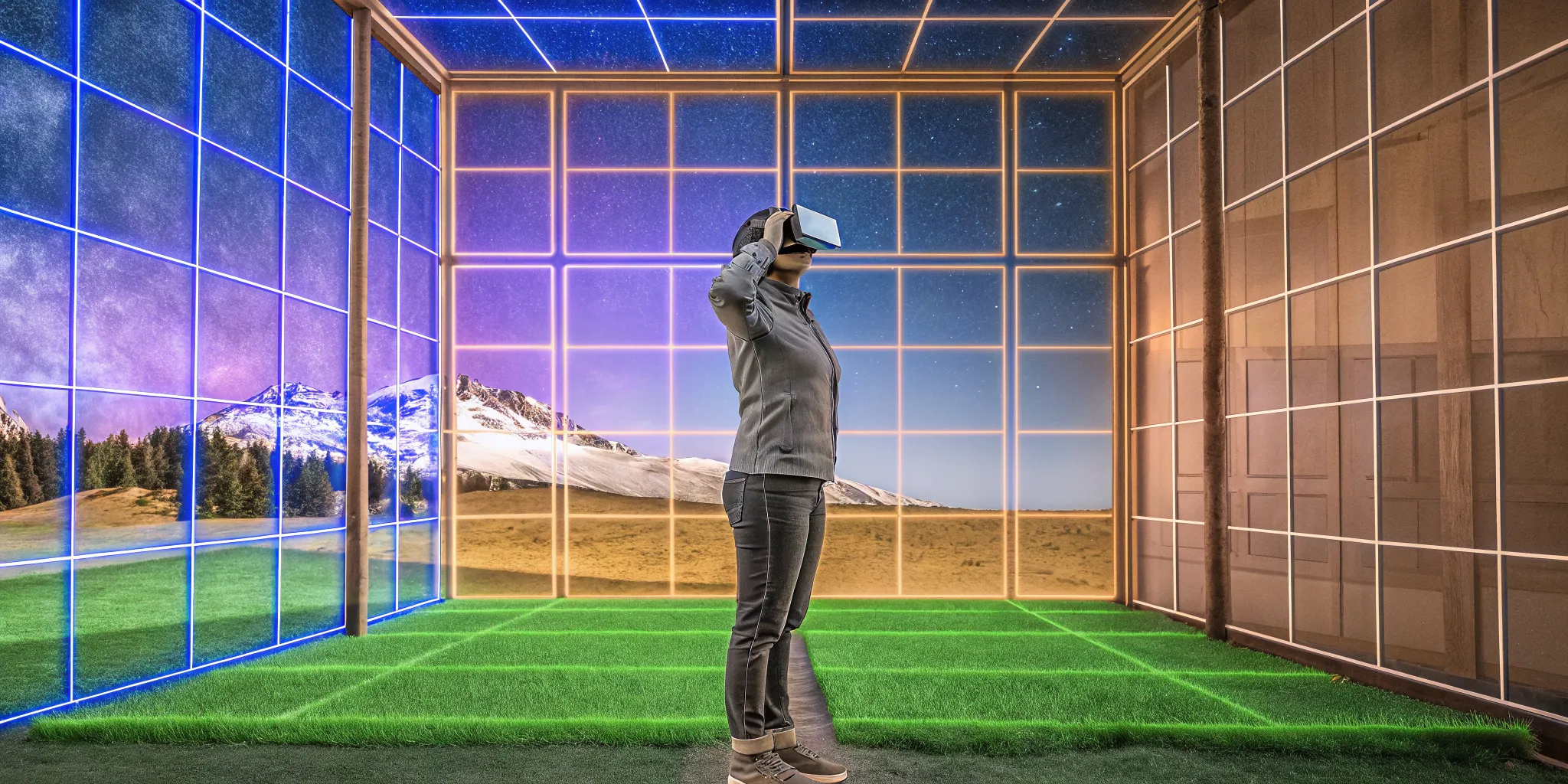
We've all played video games where we wished we could break free from the controller and just step inside the world on the screen. That desire for total immersion is what drives the most exciting developments in entertainment. The technology that makes this possible is the virtual reality walkthrough, a fully realized 3D space that you can physically explore. It's the foundation for everything from hyper-realistic architectural previews to the zombie-infested cities you and your friends can fight through together. This guide explains what these digital worlds are, how they're built, and why they represent the future of interactive experiences.
Key Takeaways
- A great VR walkthrough blends technical skill with artistic vision. The process moves from a solid design plan to building 3D models, then layering in realistic textures, lighting, and interactive elements that make the virtual space feel truly alive.
- User experience is the key to immersion. To make the technology disappear and the virtual world feel real, you must prioritize intuitive navigation, smooth performance, and design choices that prevent motion sickness.
- This technology is a practical tool for many industries. Beyond entertainment, VR walkthroughs are used in real estate to tour unbuilt homes, in education for risk-free training, and in healthcare to simulate complex procedures.
What is a VR Walkthrough?
Ever wished you could step inside a blueprint and explore a building before a single brick is laid? Or maybe wander through a fantasy world straight from a designer's imagination? That's the magic of a VR walkthrough. It's a simulated environment that lets you move through a three-dimensional space as if you were actually there. Think of it as the next evolution of a virtual tour. Instead of just clicking through static images, you get a lifelike, first-person preview of a location, whether it's a future home, a historical site, or an entirely new universe for a game.
While the technology is a game-changer for architects and real estate agents, its applications stretch into training, marketing, and, of course, the immersive entertainment we love. It's all about creating a sense of presence and allowing you to explore a digital space on your own terms.
The Building Blocks of a VR Walkthrough
Creating a VR walkthrough isn't as simple as taking a 360-degree photo. It starts with specialized computer programs that build the world from the ground up. The process often begins with 2D plans or sketches, which are then built out using computer-aided design (CAD) software. Think of this as the digital blueprint for the entire space.
From there, a 3D rendering application works its magic, adding textures, lighting, and shadows to transform the basic model into a photorealistic environment. Finally, a VR publisher and viewer package everything together, making it possible to step inside the world with a headset. It's a layered process that combines architectural precision with artistic detail to create a believable, explorable world.
Exploring Different Types of Walkthroughs
The most common use for VR walkthroughs is in architecture. They allow designers to create detailed virtual tours, letting clients explore a building's layout, flow, and feel long before construction begins. It's a powerful way to visualize a project and make changes without the cost of building a physical model.
But the same principles apply to other fields. In education, students can take virtual field trips to ancient Rome. In entertainment, game developers build entire worlds for players to explore, from zombie-infested cities to alien planets. At its core, a VR walkthrough is a tool for virtual storytelling, allowing creators to guide you through a space and an experience they've meticulously designed, no matter the industry.
Interactive vs. Non-Interactive: What's the Difference?
Not all VR walkthroughs are created equal. The simplest form is non-interactive, where you move along a predetermined path. You can look around freely, but you can't stray from the route. It's like being a passenger on a virtual tour bus.
The real fun begins with interactive walkthroughs. These experiences give you the freedom to explore at your own pace and engage with your surroundings. An effective interactive VR experience lets you open doors, pick up objects, or even change the furniture in a room. This level of control is what makes you feel truly present in the virtual space. It's the difference between watching a movie and being the main character in a story you help create.
Gather Your Tools and Tech
Before you can build a virtual world, you need to gather your supplies. Creating a VR walkthrough is a bit like being a digital architect and construction manager all in one—it requires a specific set of tools to get the job done right. This isn't just about downloading a single app; it involves a combination of powerful hardware to run the experience and specialized software to design, build, and render your environment.
The quality of your tools will directly impact the quality of your final walkthrough. A powerful computer and a high-resolution headset will deliver a smoother, more believable experience, while professional-grade software will give you more control over the details that make a virtual space feel real. Think of this step as stocking your workshop. Getting the right gear from the start will make the entire creation process smoother and help you bring your vision to life in the most immersive way possible.
Choose the Right Hardware
First things first, you need the physical equipment to run and experience your virtual creation. VR relies on special hardware—like headsets, controllers, and sensors—to build a convincing 3D environment that you can step into. The headset is your portal to the virtual world, displaying the visuals right in front of your eyes. Controllers act as your hands, allowing you to interact with objects, while sensors track your movements in the physical world and translate them into the virtual one. Don't forget that you'll also need a powerful computer with a dedicated graphics card to handle the demanding processing that VR requires.
Find the Best Software
Once your hardware is sorted, it's time to look at the digital tools. Creating a VR walkthrough requires a few different computer programs working in harmony. The process usually starts with CAD (computer-aided design) software, where you'll create the initial 2D or 3D model of your space, much like an architectural blueprint. From there, you'll use a 3D rendering application to add textures, lighting, and other visual details to make it look realistic. Finally, a VR publisher or viewer application packages everything together into the final, interactive walkthrough that users can explore with their headsets.
Understand Development Platforms
To bridge the gap between your 3D model and a fully immersive experience, you'll need a development platform. These specialized tools are designed to turn static designs into interactive virtual environments. For creating detailed 3D VR walkthroughs, software like Enscape and Lumion are excellent choices, especially in the architecture and design fields. They often work as plugins for your existing CAD or modeling software, which simplifies the process of converting your project into a walkable, real-time rendering. These platforms handle the heavy lifting of creating a seamless VR experience, letting you focus on the design.
Break Down the Costs
It's important to be realistic about the investment required. The equipment and development for VR can be expensive, so it's wise to map out your budget ahead of time. Hardware costs include the VR headset itself and a high-performance PC, which can add up quickly. On the software side, professional-grade modeling and rendering programs often come with subscription or licensing fees. While there are some free and open-source options available for beginners, creating a polished, professional-quality walkthrough typically requires a financial commitment. Researching different VR development costs can help you plan accordingly.
Plan Your VR Walkthrough, Step by Step
Creating a compelling VR walkthrough is a process that blends artistry with technical skill. By breaking it down into manageable stages, you can move from a simple idea to a fully immersive virtual world. Think of it as building a house—you need a solid foundation, a well-constructed frame, and all the finishing touches that make it feel like a real, livable space. Following these steps will help you organize your workflow and ensure you cover all the essential elements for an unforgettable experience.
Start with a Strong Design
Every great virtual experience begins with a solid plan. Before you even think about 3D models, you need a clear design blueprint. This process often starts with 2D plans or sketches, which are then brought into computer-aided design (CAD) software to create a precise layout. From there, you'll use 3D rendering applications to build out the space. This foundational stage is where you map out the user's journey, define the key areas they will explore, and establish the overall look and feel of your virtual environment. A strong design ensures that everything that follows is built on a stable and well-thought-out base.
Prepare Your 3D Models
Once your design is locked in, it's time to start building the world itself. This is where you create the 3D models that will make up your environment, from the walls and floors to the furniture and props. While AI can help visualize concepts, the best results come from skilled designers who manually create the structures and objects. This hands-on approach allows for greater detail, accuracy, and artistic control. Using 3D modeling software, you'll construct each element piece by piece, turning your 2D plans into a tangible, three-dimensional space that users can eventually step into and explore.
Add Realistic Textures and Lighting
A raw 3D model is like a blank canvas. Textures and lighting are the paint that brings it to life. Texturing involves applying surfaces to your models—like wood grain, concrete, or fabric—to make them look realistic and tactile. Lighting is just as crucial; it sets the mood, directs the user's attention, and creates a sense of depth and realism. Professionals use a suite of powerful tools to get this just right, ensuring that every shadow and reflection contributes to the immersion. This step is what separates a basic 3D space from a believable world that feels truly present.
Decide on Interactive Elements
What makes a VR walkthrough truly special is the ability to interact with the world around you. This is your chance to add elements that draw users in and make them feel like active participants. Think about what you want people to do in your space. Should they be able to open doors, turn on lights, pick up objects, or trigger animations? An effective VR experience allows users to interact with the environment in intuitive ways. These interactive moments make the walkthrough more engaging and memorable, transforming it from a passive viewing into a hands-on adventure.
Test and Refine Your Creation
No project is perfect on the first try. Once you have a working version of your walkthrough, rigorous testing is essential. Invite people to try it out and watch how they move through the space. Are they getting stuck? Do the interactions feel natural? Is the performance smooth? This feedback is invaluable for identifying bugs and areas for improvement. Creating a polished VR walkthrough is an iterative process that relies on human insight to get right. Use this testing phase to refine every detail, ensuring the final product is seamless, intuitive, and enjoyable for every user.
Create an Unforgettable User Experience
A stunning virtual world is only half the battle. If moving through it feels clunky, confusing, or even nauseating, the magic is lost. Creating an unforgettable user experience (UX) is about making the technology fade into the background so the user can feel completely present in the space you've built. It's the difference between someone trying your walkthrough once and someone who can't wait to show it to their friends.
The goal is to design an experience that feels intuitive and comfortable from the moment they put on the headset. This means thinking through every interaction, from how they move from room to room to how they pick up an object. A seamless UX respects the user's time and physical well-being, ensuring they leave feeling impressed, not frustrated. Unlike a website or an app, a poor VR experience can have physical consequences, like dizziness or eye strain. That's why getting the UX right isn't just a nice-to-have; it's essential. When you nail the user experience, people stop thinking about the software and start believing in the world you've created. At Zero Latency VR, we know that immersion is everything, and it all starts with a user-centric design that puts the player's comfort and enjoyment first.
Design Intuitive Navigation
Nothing pulls someone out of a virtual experience faster than fumbling with controls. Your walkthrough's navigation should feel like second nature. Think about how people move in the real world and try to replicate that simplicity. Whether you opt for teleportation-style movement or smooth locomotion, it needs to be easy to learn and execute. An effective VR walkthrough should be simple to use across different devices, from VR headsets to tablets and phones. The best experiences also allow users to interact with the environment naturally—opening doors, turning on lights, or moving furniture—making the virtual space feel tangible and alive.
Prioritize User Comfort
Have you ever felt a bit queasy on a spinning ride? That same feeling, known as motion sickness, can happen in VR when there's a mismatch between what your eyes see and what your body feels. Prioritizing user comfort is non-negotiable. To prevent VR sickness, implement smooth, consistent frame rates and avoid sudden, jarring camera movements. Offering different movement options, like teleportation, can also give users more control and reduce discomfort. A stable horizon line and comfortable turning speeds make a huge difference, ensuring your users can explore your virtual world without feeling unwell.
Optimize for Smooth Performance
A laggy or stuttering VR experience is more than just an annoyance—it can break the illusion of reality and contribute to motion sickness. Smooth performance is key to maintaining immersion. This means optimizing your 3D models, textures, and lighting to ensure the walkthrough runs at a high, stable frame rate. Creating a full 3D VR walkthrough is a demanding task, so using efficient software is crucial. For complex projects, you may need to explore powerful tools that are specifically designed to handle the heavy lifting and deliver the polished, seamless performance that users expect from a high-quality virtual experience.
Make Your Walkthrough Accessible
You've built an incredible virtual world, so you want as many people as possible to see it. Making your walkthrough accessible means designing it to work on a wide range of hardware. From high-end PC-based headsets like the Valve Index to standalone devices like the Meta Quest, your experience should be adaptable. This involves ensuring your controls are compatible with different types of controllers and that the performance is scalable for various processing powers. By following VR accessibility guidelines, you can create an inclusive experience that welcomes everyone, regardless of the device they're using.
Use Feedback to Improve
You can't create the perfect user experience in a vacuum. The final and most crucial step is to test your walkthrough with real people and listen to what they have to say. Watch how they move, where they get stuck, and what makes them smile. This feedback is gold. It helps you identify friction points you might have missed and refine the experience to be more intuitive and enjoyable. Just as clients and investors can give feedback on virtual buildings to ensure the final product meets their needs, user testing ensures your walkthrough meets the expectations of your audience.
Overcome Common Challenges
Creating a VR walkthrough is an exciting process, but like any ambitious project, it can come with its own set of hurdles. From technical glitches to design roadblocks, you're bound to face a few challenges along the way. But don't worry—these are common issues with straightforward solutions. Thinking ahead and knowing what to expect can help you keep your project on track and produce a final product that feels polished, professional, and incredibly immersive. Let's walk through some of the most frequent challenges and how you can tackle them head-on.
Solve Technical Problems
Let's be real: building a fully interactive 3D world from scratch is a big undertaking. It's not something that can be completely automated, which means you'll need to get comfortable with a few different software tools. The key is understanding how these programs work together to bring your vision to life. Think of it less as a single, complex task and more as a puzzle where you fit different pieces—your 3D models, textures, and interactive elements—together. This complexity requires a solid grasp of how various software tools integrate with one another to create a cohesive experience.
Handle Development Roadblocks
To avoid getting stuck in the development phase, it's essential to have the right toolkit from the start. Using specialized software can make the entire process much smoother. Programs like Enscape and Lumion are popular choices for a reason—they are designed to handle rendering and visualization efficiently. A successful VR walkthrough typically requires a combination of CAD software and rendering applications to create a seamless experience. You'll need a program to build the initial 3D model, another to make it look realistic, and a VR publisher to package it all into an experience users can step into.
Ensure Top-Notch Quality
A great VR walkthrough is more than just a pretty picture; it's about creating a believable and user-friendly experience. The difference between a good walkthrough and a great one often comes down to the quality of the tools you use. Top-tier software programs are crucial for creating those truly immersive experiences that make users feel like they're really there. Beyond the visuals, focus on the user. Your walkthrough should be easy to move through, compatible with different devices, and offer meaningful ways for users to interact with the environment. A smooth, intuitive experience is what will keep people engaged.
Plan for Ongoing Maintenance
Your VR walkthrough shouldn't be a static, one-and-done creation. Think of it as a living project that may need updates over time. The primary goal is to allow users to truly "experience" the virtual space, not just observe it from a distance. This might mean updating textures, adding new interactive elements, or refining the layout based on user feedback. Regular maintenance keeps the content relevant and ensures the walkthrough continues to be an effective tool, whether it's for helping clients visualize a design or providing an engaging training simulation. This ongoing effort is what makes the experience valuable long-term.
See How Different Industries Use VR Walkthroughs
Virtual reality walkthroughs are so much more than just a cool piece of tech; they're practical tools that are completely changing how different industries operate. From designing skyscrapers to training surgeons, VR offers a way to experience and interact with environments that might be impossible, expensive, or dangerous to access otherwise. It's a powerful way to visualize, learn, and play. Let's look at how some key sectors are putting this technology to work.
Real Estate and Architecture
Imagine walking through your dream home before a single brick has been laid. That's the power of VR in real estate and architecture. Architects can create incredibly detailed virtual tours of buildings, allowing clients to explore every room and get a true sense of the space, scale, and flow. This moves beyond flat blueprints, helping people make important design decisions with confidence. For real estate agents, it's a game-changer. They can show properties to potential buyers anywhere in the world, offering a realistic experience that makes it much easier to market and sell a space before it's even built.
Education and Training
In the world of education, VR provides a safe and controlled environment for hands-on learning. Think about training for high-stakes professions. Medical students can practice complex surgical procedures, and pilots can run through emergency flight scenarios, all without any real-world risk. These virtual experiences are also perfect for training workers in fields like construction. A simulated construction site allows teams to practice safety protocols and identify potential hazards in a completely safe setting, ensuring they're prepared for the real thing. It's a way to learn by doing, which is often the most effective way to master a new skill.
Healthcare
Beyond just training, VR is making significant waves throughout the healthcare industry. It's transforming how medical professionals learn, practice, and even deliver care. For patients, VR can be a powerful tool for pain management, physical therapy, and mental health treatment by creating calming or distracting environments. It's also used for patient education, allowing doctors to show someone a 3D model of their own anatomy to explain a condition or procedure. This technology is becoming essential because it fundamentally changes how we can experience and understand complex medical information and treatments.
Entertainment
Of course, one of the most exciting applications of VR is in entertainment, which is where we live and breathe! VR is used to create deeply engaging games and interactive stories that pull you right into another world. It's not just about watching a story unfold; it's about being a part of it. You can explore fantastical landscapes, solve puzzles in a virtual escape room, or team up with friends to battle zombies. The experience is defined by its comical, dark, and sublime mood, creating a story about AI and corporate control that you can step directly into. This level of immersion creates unforgettable adventures that simply aren't possible with any other medium.
What's Next for VR Walkthroughs?
Virtual reality walkthroughs are more than just a cool novelty; they're a powerful tool that's rapidly evolving. As the technology matures, these immersive experiences are set to become more realistic, accessible, and integrated into our daily lives. From smarter AI to more intuitive creative tools, the future is being built right now. Let's look at what's on the horizon for VR walkthroughs and how they're shaping the way we interact with digital spaces.
Keep an Eye on New Tech
The pace of VR innovation is incredible, and it's pushing walkthroughs to a whole new level of realism. We're seeing advancements in haptic feedback suits that let you feel the virtual environment and eye-tracking technology that creates more natural interactions. As experts note, VR helps "bridge the gap between physical and virtual experiences." Imagine not just seeing a virtual apartment, but feeling the texture of a countertop or the warmth of a fireplace. These sensory details will make virtual spaces feel indistinguishable from reality. The continuous development of VR hardware means that experiences will only get more immersive, making virtual exploration a truly captivating adventure.
How VR Walkthroughs Will Grow
While real estate and architecture were early adopters, VR walkthroughs are quickly expanding into new territories. Think about education, where students can tour ancient historical sites, or retail, where you can walk through a virtual showroom before making a purchase. The possibilities are endless. As the technology becomes more mainstream, it's "expected to become very common" across many fields because of the clear advantages it offers. We'll see VR walkthroughs used for everything from corporate training simulations to virtual event planning. This growth means more opportunities to experience the world in ways we've only dreamed of, making complex information and distant places accessible to everyone.
The Future of VR Platforms
Creating a VR walkthrough used to require a team of specialized developers, but that's changing fast. The platforms and software for building these experiences are becoming more user-friendly and powerful. Soon, creating a detailed virtual space could be as simple as designing a website. Companies are already building "interactive virtual worlds where you can explore every detail of a project before it's actually built." This accessibility will empower more creators, small businesses, and individuals to build their own immersive worlds. As these VR creation tools evolve, expect to see an explosion of unique and personalized virtual walkthroughs for everything from personal art galleries to interactive family histories.
Related Articles
- Exploring Advanced Virtual Reality: Top Headsets & Applications
- Austin Tech Attractions: Explore VR, Meetups & More
- Top 5 VR Experiences in Austin
- Top Austin VR Arcades: Your Guide to Immersive Fun
- How to Build an Affordable Home VR Arcade
Frequently Asked Questions
Is creating a VR walkthrough something I can do myself? While the tools for creating VR experiences are becoming more user-friendly, building a polished and seamless walkthrough still requires a good amount of technical skill. It involves working with multiple specialized programs for 3D modeling, texturing, and rendering. For a simple project, you might find some beginner-friendly software, but creating the kind of high-quality, interactive worlds we've discussed typically requires professional expertise to get right.
How is a VR walkthrough different from a 360-degree video tour? Think of it as the difference between being a passenger and being the driver. A 360-degree video places you in a fixed spot where you can look around, but you can't move or interact with anything. A true VR walkthrough gives you the freedom to explore the space on your own terms. You can walk from room to room, look at objects from any angle, and in many cases, even pick things up or open doors. It's about feeling present and in control, not just watching a recording.
I'm worried about getting motion sickness. Is that a big problem? That's a totally valid concern, and it's something that professional VR developers take very seriously. Motion sickness in VR often happens when the experience is laggy or the movements are unnatural. A well-designed walkthrough is built to prevent this by ensuring a smooth, high frame rate and offering comfortable navigation options, like teleportation. The goal is always to make you feel present and comfortable, so you can get lost in the world without feeling unwell.
Do I need a super expensive computer and headset to experience a VR walkthrough? Not necessarily. While the most graphically intense walkthroughs do require a powerful PC and a high-end headset, many experiences are designed to be accessible on a wider range of devices. Standalone headsets, which don't need to be connected to a computer, have made high-quality VR much more available. Some walkthroughs can even be viewed in a simplified form on a tablet or phone, though you'll get the most immersive experience with a proper headset.
Are VR walkthroughs only useful for looking at buildings and real estate? Not at all! While architecture was one of the first industries to embrace the technology, its uses are incredibly diverse. Imagine training to be a surgeon by practicing in a virtual operating room, or students taking a field trip to ancient Rome without leaving the classroom. And, of course, it's a huge part of entertainment, allowing game developers to build entire worlds for players to explore, from alien planets to zombie-infested cities. It's a powerful tool for any industry that needs to create a sense of place and presence.