
The Ultimate Guide to Creating a VR Gaming Room
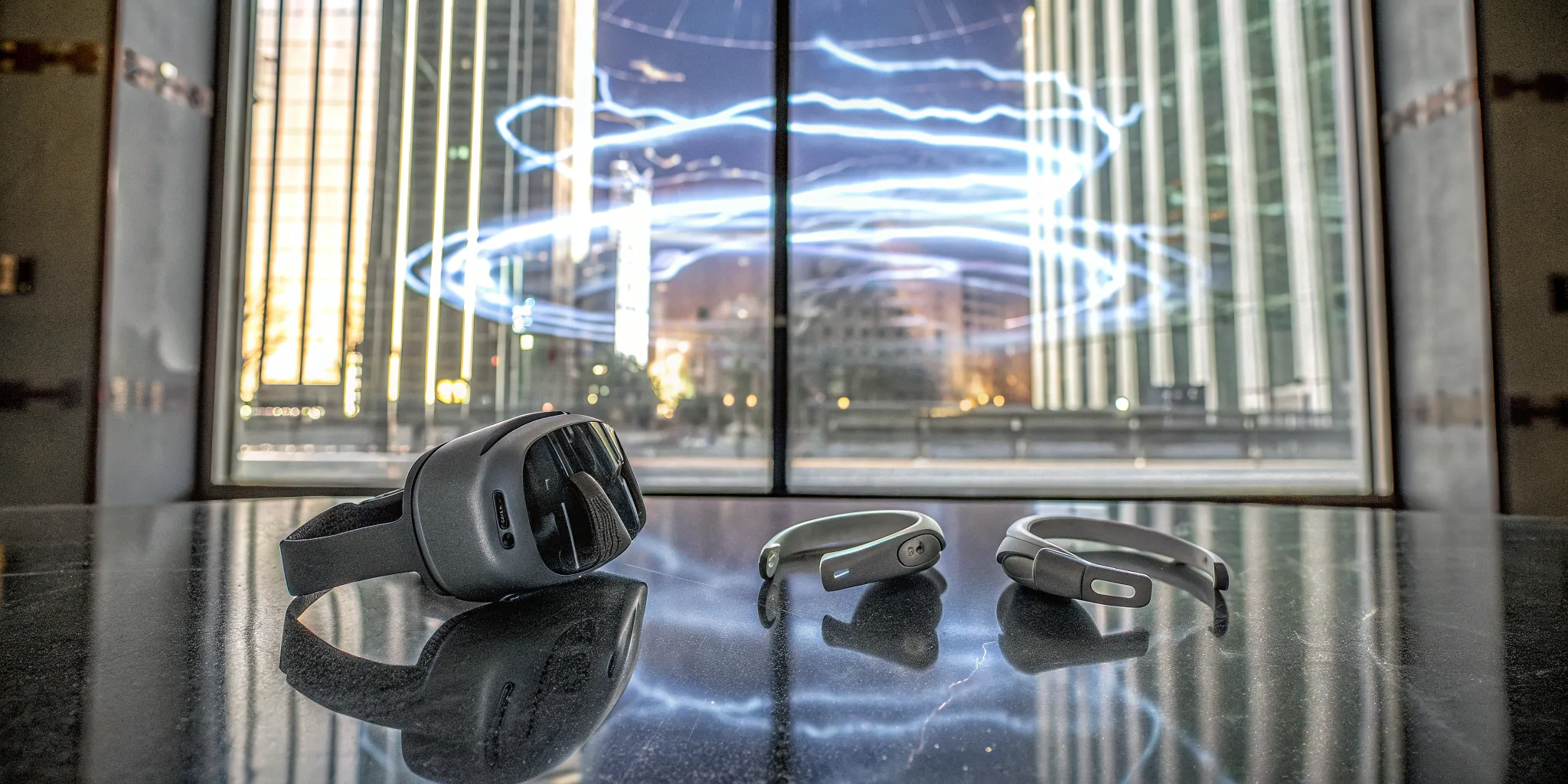
If you've ever experienced the thrill of a professional, free-roam VR arcade, you know how incredible total immersion can feel. While replicating a massive warehouse in your home isn't practical, you can absolutely capture the essence of that seamless experience. The secret is moving beyond simply clearing a space in your living room and creating a dedicated vr gaming room designed for adventure. This guide is your blueprint for bringing that high-end arcade feeling home. We'll cover how to arrange your space, choose the right gear, and fine-tune your setup to make your virtual worlds feel more convincing and captivating than ever before.
Key Takeaways
- Establish Your Safe Zone First: Your VR experience begins with a dedicated, obstacle-free playspace of at least 6.5 by 6.5 feet. Use your system's virtual boundary feature and manage your cables to move freely and confidently without worrying about the real world.
- Choose Your Path: Home Convenience vs. Arcade Power: Decide if you prefer the ease of an at-home standalone headset or the graphical power of a PC-based system. For the ultimate, wire-free group experience that's impossible to replicate at home, a professional free-roam VR arcade is your best bet.
- Focus on Comfort and Care for Lasting Fun: True immersion comes from details like a well-fitting headset and quality audio. Protect your investment and ensure a smooth experience every time by following a simple maintenance routine for cleaning your gear and keeping software updated.
What Exactly Is a VR Gaming Room?
Think of a VR gaming room as your personal portal to other worlds. It's a dedicated space, whether in your home or at a professional arcade, that's specifically designed to let you move freely and safely while you're immersed in a virtual environment. It's more than just strapping on a headset; it's about creating an area where the lines between the real and virtual worlds begin to blur, allowing for a truly convincing and comfortable experience.
The Key Components of a VR Setup
At its core, a great VR setup starts with space. You need a clear, open area to move around in without bumping into furniture or tripping over clutter. A good rule of thumb is to have at least a 6.5-by-6.5-foot zone free of any obstacles. This gives you enough room to dodge, duck, and explore without worry. Beyond the physical space, your setup includes the headset, controllers, and a tracking system. For some systems, this means setting up external sensors that need a clear line of sight to your play area. Planning a VR gaming setup is all about creating a safe and seamless connection to your game.
At-Home VR vs. Professional Arcades
Playing VR at home offers the convenience of jumping into a game whenever you want. It's your personal escape, tailored to your own space and schedule. However, professional VR arcades offer a different kind of experience altogether. These venues are designed to be social entertainment hubs, equipped with high-end, warehouse-scale technology that's often beyond a typical home setup. Instead of playing alone, you can team up with friends in a massive, shared space. These VR gaming zones are perfect for parties, team events, or just a fun night out, providing a social and powerful experience that's hard to replicate at home.
Common VR Myths, Busted
As VR technology has grown, so have the myths surrounding it. One of the biggest is that VR is only for intense, hardcore gamers. That couldn't be further from the truth! There are countless experiences designed for all ages and interests, from creative art tools to escape rooms. Another common misconception is that VR is just a passing fad. In reality, its applications are expanding into fields like education and professional training. By understanding the common misconceptions about VR, you can better appreciate its incredible potential to change how we play, learn, and connect.
How to Create a Safe VR Playspace
Getting lost in a virtual world is the whole point of VR, but you don't want to literally get lost in your living room and trip over the coffee table. Creating a safe playspace is the first and most important step in setting up your home VR system. It's not just about protecting your gear (and your shins); it's about allowing yourself to feel fully present in the game without a nagging worry in the back of your mind. A well-planned space lets you swing, duck, and dodge with confidence. Before you even put on the headset, taking a few minutes to prep your room will make your entire experience smoother, safer, and way more fun.
Finding the Right-Sized Room
First things first, you need enough room to move. While you don't need a massive warehouse, a cramped corner won't cut it. A good rule of thumb is to have a clear, open area of at least 6.5 by 6.5 feet. This gives you space to take a step in any direction and extend your arms without hitting a wall or a bookcase. Before you start, take the time to clear your chosen area of any and all obstacles. This means moving chairs, tables, floor lamps, and anything else that could become a tripping hazard. The goal is to create a completely empty zone where you can focus on the game, not on avoiding your furniture.
Simple Rules for Staying Safe
Once your space is clear, it's time to set your virtual boundaries. Most VR systems have a built-in safety feature, often called a "guardian" or "chaperone," that lets you draw a virtual wall around your play area. If you get too close to the edge, a grid will appear in your headset, reminding you to step back. It's easy to lose your sense of where you are in a room with a headset on, so use this feature every single time. It's also a great idea to let family members or roommates know when you're about to start a session so they don't accidentally walk through your space.
Getting the Lighting and Airflow Right
The environment of your room matters more than you might think. For tracking to work correctly, avoid rooms with direct, bright sunlight, as it can interfere with the headset's sensors. Diffused, even lighting is best. Also, look up! You'll want a room with plenty of overhead space, free from any dangling ceiling lights or low-hanging fans. The last thing you want is to shatter a lightbulb mid-game. Finally, consider airflow. VR can be a workout, and wearing a headset can get warm. A fan placed safely outside your play area or an open window can make longer sessions much more comfortable.
Managing Your Power and Cables
Cables are the number one enemy of immersion and safety. If you're using a wired headset, you need a plan to keep the cord out of your way so it can't snag on your feet or furniture. Many players use a VR cable management system with ceiling pulleys to keep the cord suspended above them. If you're using external sensors for tracking, make sure nothing blocks their line of sight to your headset and controllers. Even with a wireless setup, you'll need to manage charging cables for your gear, so think about setting up a dedicated charging station to keep everything organized and ready for your next adventure.
Designing Your Ultimate VR Room
Once you've secured a safe playspace, it's time for the fun part: designing a room that feels like your personal portal to other worlds. A great VR room isn't just an empty space; it's a thoughtfully arranged environment that makes jumping into virtual reality seamless and even more immersive. The right design choices can protect your gear, keep you comfortable, and help you get lost in the game without bumping into the real world.
Thinking about how you arrange your furniture, store your equipment, and even what kind of flooring you have can make a huge difference. It's all about creating a functional, comfortable, and inspiring space. Let's look at how to organize your room, find smart storage solutions, choose the right flooring, and set the perfect mood for your gaming sessions.
How to Arrange Your Space
The golden rule of arranging your VR room is to create a completely clear, central play area. You'll want a space of at least 6.5 by 6.5 feet with absolutely no furniture, rugs, or other items that could become a tripping hazard. Before you start a session, do a quick sweep to make sure the floor is clear of anything that might have wandered into the zone, like pet toys or stray shoes.
Don't forget to look up! High ceilings are ideal, but the most important thing is to ensure there are no low-hanging light fixtures or ceiling fans in your play area. A swinging arm during an intense moment of gameplay could easily lead to shattered bulbs and a dangerous mess. The goal is to create a "safe zone" where you can move freely and confidently without worrying about real-world obstacles.
Smart Storage for Your VR Gear
A cluttered space is an unsafe space, so having a dedicated spot for your VR equipment is key. When you're not playing, you need a secure place to store your headset, controllers, and cables. This not only protects your expensive tech from dust and damage but also keeps your play area clear and ready for action. Wall mounts are a fantastic option for keeping headsets and controllers off the floor and out of the way.
You could also use a dedicated cabinet, a stylish cube shelving unit, or even a pegboard for a custom, techy look. Organizing your VR equipment makes setup and cleanup a breeze. Plus, it gives you a chance to add personal touches to your room, turning a simple playspace into a cool, personalized gaming hub.
The Best Flooring for VR
The floor beneath your feet plays a surprisingly big role in your VR experience. While plush carpet can be comfortable and offer a bit of cushion, it can sometimes make it harder to feel your exact position in the room. Hardwood or laminate floors are great for easy movement, but they aren't very forgiving if you take a tumble.
A perfect compromise is to use a small, non-slip mat in the center of your play area. A dedicated VR mat often has raised bumps or a different texture that lets you feel your boundaries with your feet. This simple addition acts as a physical anchor, helping you stay centered in your safe zone without having to peek out from under your headset.
Setting the Mood with Sound and Ambiance
Creating an immersive atmosphere starts before you even put on the headset. Think about how you can minimize distractions from the outside world. Good sound is crucial, so a great pair of noise-canceling headphones will help you fully tune into the game's audio without hearing your dog barking or the dishwasher running.
You can also use lighting to set the tone. Smart lights are perfect for this—you can dim them or change their color to match the vibe of the game you're about to play. Setting the right ambiance helps your brain transition from the real world to the virtual one, making the entire experience feel more complete and captivating.
The Tech You'll Need for VR
Getting your VR tech sorted out can feel like the most intimidating part of building a gaming room, but it's really just about making a few key decisions based on your budget and what kind of experience you're after. Think of it as assembling your personal command center. From the headset that transports you to new worlds to the system that powers it all, each piece plays a vital role. Let's walk through the essentials so you can choose the right gear with confidence.
Choosing Your Headset and Controllers
Your headset is your window into the virtual world, so picking the right one is a big deal. The main trade-off you'll find is between performance and convenience. If you have a powerful gaming PC, you can connect a headset to it for mind-blowing graphics and smoother gameplay. However, standalone headsets have their own appeal, offering freedom from wires and a simpler setup. When you're trying them on, pay attention to comfort. An uncomfortable headset can pull you out of the experience, no matter how good the visuals are. Your controllers are your hands in the game, so make sure they feel natural and responsive to you.
The Brains: PC vs. Console
The power behind your VR experience will come from either a dedicated gaming PC or a standalone headset with its own built-in processing, like the Meta Quest. While some consoles offer VR, the biggest choice for most people is between PC-based and standalone. PC VR is for the enthusiasts who want to push graphics to their absolute limit and have the widest selection of high-fidelity games. On the other hand, many people find the all-in-one nature of standalone VR to be a much more user-friendly experience. You just put it on and play, which is a huge plus if you want to get into a game without any fuss.
Understanding Tracking Systems
Tracking is the magic that lets you move around in the real world and have those movements mirrored perfectly in the virtual one. Most modern headsets use "inside-out" tracking, with cameras on the headset itself that scan the room to determine your position. It's incredibly convenient and works right out of the box. Some high-end PC VR systems use "outside-in" tracking, which relies on external sensors, or base stations, placed around your room. If you go this route, you'll need to make sure nothing blocks their line of sight to the headset and controllers for a truly seamless VR setup.
Cool Accessories to Enhance Gameplay
Once you have the basics, a few well-chosen accessories can seriously upgrade your immersion. Comfort is king, so look into things like custom head straps or padded facial interfaces that make long play sessions more enjoyable. If you wear glasses, prescription lens inserts for your headset are a total game-changer. For audio, a great pair of headphones can make virtual worlds feel much more real. And don't forget about practical things like controller grips for better handling or a stand to keep all your gear organized and charged when you're not playing.
Tips for a Smooth, Lag-Free Experience
Nothing ruins a great VR session faster than lag or stuttering. If you're on a PC, the fix is often just a few clicks away. Start by making sure your computer is set to its high-performance power mode, which tells it to prioritize gameplay over saving energy. In the game itself, don't be afraid to lower the graphics settings a bit—smooth gameplay is always better than ultra-high textures that your system struggles with. A few simple tweaks to your settings can make a world of difference, ensuring your virtual adventures are always fluid and immersive.
Picking the Best VR Systems and Games
Once your space is ready, the real fun begins: choosing your gear and games. The VR landscape is packed with amazing hardware and countless titles, which can feel a bit overwhelming. The key is to match your choices to your budget, your PC's power, and the kinds of experiences you want to have. Are you looking for a high-intensity workout, a mind-bending puzzle, or a social space to hang out with friends? Answering that question will help you narrow down the options and find the perfect fit for your new VR room. Let's walk through some of the top contenders for headsets and some games you won't want to miss.
A Quick Comparison of Top VR Headsets
Choosing a headset is the biggest decision you'll make. For serious gamers who want top-tier performance, the Valve Index is a fantastic choice. It's known for its crisp visuals and incredible finger-tracking controllers, which add a whole new layer of immersion. If you're just getting started, the Meta Quest 3S is a super accessible option because it can run as a standalone device without being tethered to a PC. For those chasing the best graphics possible, the HTC Vive Pro 2 delivers stunning resolution, but keep in mind it needs a powerful gaming PC to really shine. You can find a great breakdown of VR headsets to compare the specs side-by-side.
Games You Absolutely Have to Play
With your headset picked out, it's time to build your game library. If you're not sure where to start, Beat Saber is a must-have. It's a rhythm game where you slice through blocks with lightsabers to the beat of the music—it's incredibly fun and a great workout. For something that makes you feel like an action hero, check out Superhot VR, where time only moves when you do. You can also find tons of other must-have VR apps recommended by the community. Don't forget to explore different genres, from strategy games to immersive experiences like Google Earth VR, which lets you visit almost anywhere on the planet.
Playing with Friends: Multiplayer VR
VR is even better when you share it with friends. Many games offer multiplayer modes, letting you team up or face off against people from all over the world right from your living room. But for a truly next-level social experience, nothing beats free-roam VR. This is where you and your friends can walk around together in a large, open space, fully immersed in the same virtual world without being tied to a computer. While you can't quite replicate this at home, visiting a VR arcade lets you try out incredible group adventures. It's perfect for birthday parties or just a fun night out with your crew.
Fun for Everyone: Family-Friendly Games
One of the best things about VR is that it offers something for everyone, regardless of age or gaming experience. You can find a huge variety of family-friendly titles that focus on creativity, puzzle-solving, and cooperative fun. Look for games with intuitive controls and positive themes. Experiences like virtual escape rooms are a fantastic way to get the whole family working together to solve challenges. Many VR arcades also offer experiences suitable for younger players, often with age recommendations to help you choose. It's a great way to introduce kids and non-gamers to the magic of virtual reality in a fun and supportive environment.
Why Go Pro? The Arcade Experience
Building your own VR room is an amazing project, but sometimes you want to experience the absolute peak of virtual reality technology without the setup or cost. That's where VR arcades come in. These are dedicated spaces packed with high-end equipment that let you and your friends jump straight into the action. Think of it as the difference between a home movie night and seeing a blockbuster in a premium theater—both are great, but the arcade offers an experience that's bigger, more immersive, and built for sharing. It's the perfect way to try out different kinds of games or get a taste of what next-generation VR feels like.
What to Expect at a VR Arcade
Walking into a VR arcade, you'll find a space designed specifically for immersive gaming. These venues give you access to cutting-edge technology that would be incredibly expensive and complicated to set up at home. You don't have to worry about clearing furniture or checking your bank account for a new graphics card. Instead, you just show up, get a quick rundown from the staff, and step into a world-class VR system. It's a fantastic, hassle-free way to play the latest and greatest in VR, whether you're a seasoned gamer or just curious about what all the hype is about. The focus is purely on fun and experiencing something new.
The Zero Latency VR Difference
Not all arcades are created equal, and that's where the Zero Latency VR experience stands out. We specialize in warehouse-scale, free-roam gameplay. That means no wires, no tethers, and no restrictions holding you back. You're not standing in one spot—you're physically walking, running, and exploring massive virtual worlds alongside your friends. This freedom of movement completely changes the game, creating a level of immersion that's simply not possible with most at-home setups. It's the closest you can get to actually being inside the game, making every moment feel incredibly real and engaging.
What Is Free-Roam VR?
So, what exactly is free-roam VR? It's a type of virtual reality where you can physically walk around in a large, open space, and your movements are tracked in real-time. Instead of using a joystick to move your character, you just… walk. This untethered technology allows you to explore huge digital environments, duck behind virtual cover, and interact with your surroundings naturally. It also turns gaming into a social, physical activity. You can see your friends' avatars moving right beside you, strategize together, and share in the excitement. It's a far more active and collaborative way to play.
Team Up: VR for Groups and Parties
The best part about free-roam VR is that it's designed for groups. The large playspace allows multiple people to join the same game simultaneously, making it an incredible choice for a friends' night out, a memorable birthday party, or unique team-building activities. You can work together to survive a zombie apocalypse, solve mind-bending puzzles in a strange new world, or compete in a futuristic shooter. It's a shared adventure where you rely on each other to succeed. Instead of just talking about a game later, you create a lasting memory together, right in the middle of the action.
Keeping Your VR Gear in Top Shape
Your VR setup is a significant investment, and a little regular care goes a long way in protecting it. Just like any high-tech equipment, your headset, controllers, and PC need some attention to keep them running smoothly. Consistent maintenance ensures you get the best performance every time you jump into a new world, preventing frustrating glitches and extending the life of your gear. Think of it as a simple pre-flight check before you launch into your next adventure. Taking a few minutes to clean your lenses or update your drivers can make the difference between a choppy, frustrating session and a completely seamless, immersive experience.
Your Simple Maintenance Checklist
Creating a routine is the easiest way to stay on top of VR maintenance. Start with your PC, which is the heart of your system. Keep it running well by turning off unnecessary startup apps and performing routine system checkups. Beyond the computer, get in the habit of checking your physical gear before and after each session. Inspect your cables for any kinks or damage, and make sure your controllers are charged and clean. It's also a good idea to periodically check that your base stations or tracking cameras are secure and haven't been bumped out of alignment. A quick wipe-down and visual inspection can prevent bigger problems down the road.
How to Safely Clean Your Equipment
Cleaning your VR gear isn't just about hygiene—it's about protecting sensitive electronics. The most important rule is to keep your headset lenses away from direct sunlight, which can permanently damage the displays in seconds. When cleaning the lenses, only use a dry microfiber cloth, moving in a gentle, circular motion. Never use liquid cleaners, paper towels, or your shirt, as these can scratch the lenses. For the headset body, controllers, and face cushions, use non-abrasive antibacterial wipes or a slightly damp cloth. Be sure to avoid getting any moisture into the electronic components. Following these simple things NOT to do will keep your equipment in pristine condition.
Why Software Updates Matter
Ignoring software updates is like refusing a free performance upgrade. Developers are constantly refining their software to improve tracking, reduce latency, and patch security holes. Make it a point to regularly check for updates for your headset's firmware, your gaming platform (like SteamVR or the Oculus app), and your PC's graphics drivers. These updates often provide the biggest improvements in game stability and visual quality. For those who like to tinker, there are even advanced settings you can explore to improve VR performance further, but keeping your core software current is the most important step for everyone.
Fixing Common VR Glitches
Even with perfect maintenance, you'll occasionally run into a glitch. If your tracking starts to stutter or your display gets laggy, don't panic. The first step is always the simplest: restart everything. A quick reboot of your headset and your PC can solve a surprising number of issues. If that doesn't work, check your physical connections—unplug and replug your cables. Also, make sure your play area is well-lit and free of reflective surfaces that can interfere with tracking. For more persistent issues, online communities like Reddit can be a great resource for specific problems, like finding the right PCVR performance settings for your hardware.
How Much Does a VR Room Cost?
So, you're ready to talk numbers. The cost of setting up a VR room can vary as much as the virtual worlds you're about to explore. You could be looking at a few hundred dollars for a basic setup or several thousand for a top-of-the-line rig. It all comes down to the kind of experience you want to create. Think of it as an investment in a whole new universe of entertainment. Let's break down what you can expect to spend, where you can save, and how to get the most value out of every dollar.
Breaking Down the Initial Investment
Your biggest upfront costs will be the hardware. This starts with the VR headset itself, which can range from accessible standalone units to high-end PC-powered models. If you go the PC route, you'll need a computer powerful enough to run demanding VR games, which can be a significant expense on its own. Then you have controllers, tracking sensors, and maybe a few games to get you started. It's no surprise that dedicated VR gaming zones are popping up everywhere; a quality setup is an investment, but one that unlocks incredible experiences right in your home.
Factoring in Long-Term Costs
Once your room is set up, there are a few ongoing costs to keep in mind. You'll want to budget for new games, which can add up over time, just like with any gaming console. Some platforms also offer subscription services for access to a library of titles. Beyond software, think about maintenance. You'll need to keep your play area clean and clear to avoid accidents—tripping over clutter is a real risk that could lead to injury or broken gear. Over time, you might also need to replace accessories like controller batteries or worn-out cables.
Smart Ways to Save on Your Setup
You don't have to break the bank to build a great VR room. A fantastic way to save is by looking for hardware bundles that package a headset, controllers, and sometimes even games for a discounted price. You can also keep an eye out for seasonal sales. Another pro tip? Choose your room wisely. A space with high ceilings and no dangling light fixtures means you won't have to pay for shattered bulbs or, worse, a new headset. This kind of simple planning is a core part of building a functional room for VR and can save you from costly mistakes.
Getting the Best Bang for Your Buck
Making the most of your budget is all about optimization. Before you rush to buy a new graphics card, see if you can improve performance by adjusting your software settings. Learning how to optimize PCVR performance can make a huge difference without costing you a dime. You can also explore the huge library of free demos and games to find what you love before you buy. And for those truly epic, large-scale adventures, sometimes the best value is visiting a professional arcade. You get to play with cutting-edge, free-roam technology without the personal investment in space and equipment.
Making Your VR Experience Truly Immersive
Getting lost in a virtual world is the whole point of VR. True immersion happens when your brain forgets you're in your living room and fully accepts the digital reality around you. It's more than just putting on a headset; it's about creating a seamless experience where the technology fades into the background. From how the headset feels on your face to the sounds you hear in your ears, every little detail contributes to making the virtual feel real. Fine-tuning your setup can be the difference between simply playing a game and actually living it.
How to Stay Comfortable During Long Sessions
Nothing pulls you out of a game faster than discomfort. To stay immersed for longer, start by making sure your headset fits snugly but isn't too tight. Adjust the straps until the image is clear and the weight feels balanced. It's also crucial to clear your playspace. You'll want a room with plenty of open floor, free of furniture or other tripping hazards that could break the illusion—and your ankle. Remember to take breaks, especially if you're new to VR, to help your brain adjust and prevent motion sickness. Staying hydrated and keeping a fan on for air circulation can also make a huge difference during intense sessions.
Why Great Audio Is a Game-Changer
Your eyes might be seeing a different world, but your ears are what truly sell the experience. High-quality audio is a non-negotiable for deep immersion. When you can hear footsteps creeping up behind you or the wind whistling past your ears as you stand on a virtual cliff, the world feels incredibly real. Most headsets have built-in audio, but a good pair of over-ear headphones can block out real-world noise and provide richer, more directional sound. Spend some time in your game's audio settings, too. Balancing the sound effects, music, and dialogue can create a soundscape that pulls you in completely.
Next-Level Features for Hardcore Gamers
If you're ready to take things up a notch, look beyond the basics. Many PC VR games offer advanced graphics settings that can make a world of difference. Details like realistic lighting and shadows are what make a virtual environment believable. Developers often use techniques like baked lighting to create stunningly realistic scenes without slowing the game down. You can also explore accessories with haptic feedback, which use vibrations to simulate sensations like the recoil of a weapon or the impact of a punch. These tactile cues add another powerful layer of sensory information, making your in-game actions feel more tangible.
Matching Your Room to Your Game
The way you set up your physical room should complement the game you're playing. For room-scale experiences that require you to move around, make sure your tracking sensors have a clear, unobstructed view of your entire play area. If you're using external sensors, like the base stations for a Valve Index, mount them high up in opposite corners of the room for the best coverage. For seated or standing-only games, you can get away with a smaller space, but you still need to ensure you have enough room to move your arms freely without hitting a wall or a lamp.
Building a VR Room That Lasts
Creating a dedicated VR room is an exciting project, but with technology moving so quickly, you might worry about your setup becoming obsolete. The key isn't to predict the future perfectly but to build a space that's flexible enough to grow with the industry. A future-proofed VR room is less about having the latest gadget right now and more about creating a solid foundation that can easily adapt to the next generation of hardware and software.
By thinking ahead, you can save yourself time, money, and the hassle of a complete overhaul down the line. It means focusing on the core elements of the room itself: the space, the power, and the layout. When you prioritize flexibility, you're not just building a room for the headset you own today; you're creating a versatile entertainment space that will be ready for whatever amazing developments come next. This approach ensures your investment continues to pay off, providing incredible experiences for years to come.
Planning for Future Upgrades
When you're mapping out your VR room, think beyond the gear you have right now. Start with the space itself. Choose a room with high ceilings and no low-hanging light fixtures to give yourself maximum clearance for dynamic games. While your current system might only require a small stationary area, future systems could offer more advanced, room-scale tracking. Giving yourself a larger-than-needed playspace now is one of the smartest moves you can make. Also, consider your infrastructure. Installing extra power outlets and running an ethernet port to the room during the initial setup will make it much easier to accommodate new consoles, PCs, or accessories later without tearing into your walls.
What's Next in VR Technology?
If you've heard people wondering if VR is a dying trend, the reality is quite the opposite. VR isn't fading; it's evolving at an incredible pace. The industry is shifting toward powerful, standalone wireless headsets that don't need to be tethered to a PC. This means fewer cables to trip over and more freedom of movement. We're also seeing huge leaps in display resolution, haptic feedback that lets you feel the virtual world, and eye-tracking technology that makes experiences more intuitive. As these advancements in VR technology become standard, having a room that's open and ready for wireless play will put you ahead of the curve.
Designing a Flexible, Multi-Use Space
Your ultimate VR room doesn't have to be a single-purpose shrine to gaming. In fact, it's more sustainable to design a flexible space that can serve other functions. Think about using modular furniture that can be easily moved or stored, like ottomans with built-in storage for controllers and cables. This allows the room to transform into a home office, workout area, or media room when you're not in VR. By designing a flexible room, you make the space a more integrated part of your home. This approach not only maximizes your home's square footage but also makes the room a place everyone can enjoy, whether they're gaming or not.
A Look Ahead for Your VR Setup
The long-term vision for VR is hardware that is lighter, more comfortable, and less intrusive—think sleek glasses instead of bulky headsets. As this becomes a reality, the need for massive gaming PCs and complex sensor setups may diminish. So, what does that mean for your room? It means the most important investments you can make are in the fundamentals. A safe, open floor plan, good ventilation, and smart cable management will always be valuable. By focusing on creating a great foundational space, you'll be ready for the next wave of innovation, whether it's a holographic display or a lightweight AR/VR hybrid device. The core of a great experience will always be a great room.
Related Articles
- Affordable Home VR Arcade: How to Set Up Your Own VR Room
- Exploring Advanced Virtual Reality: Top Headsets & Applications
- Your First Local VR Arcade Visit: What to Expect
- Find the Best VR Arcade: Your Ultimate Guide
- Top 5 VR Experiences in Austin
Frequently Asked Questions
How much space do I really need to get started with VR? While the ideal is a clear 6.5-by-6.5-foot area, you don't need a massive, empty room to enjoy VR. Many incredible games are designed to be played while seated or standing in one spot. The most important thing isn't the total size of the room, but that you have a completely clear zone where you can extend your arms without hitting anything. Safety is the priority, so always make sure your immediate surroundings are free of obstacles.
Is a powerful gaming PC absolutely necessary for a good VR experience? Not at all. While a high-end PC will give you the best possible graphics for certain games, standalone headsets have made VR much more accessible. Headsets like the Meta Quest have their own built-in processors, so you can play amazing games without being tethered to a computer. The choice really comes down to what you value more: the peak visual performance of PC VR or the wire-free convenience of a standalone system.
What's the best way to handle VR if I wear glasses? This is a super common question, and you have a couple of great options. Most modern headsets are designed with enough room to accommodate glasses, so you can often wear them comfortably inside. For an even better experience, especially during long play sessions, you can get custom prescription lens inserts. These are made to match your prescription and snap right into the headset, so you can play without your glasses at all.
I'm worried about motion sickness. Is there anything I can do to prevent it? Yes, there are several things that can help. It's best to ease into VR with shorter sessions to let your brain get used to it. Start with games that use teleportation for movement instead of smooth walking, as this is often more comfortable for beginners. Also, make sure your headset is adjusted correctly for a crisp, clear picture, and try pointing a fan at your play area. The moving air can help you feel more grounded and reduce feelings of nausea.
Why should I visit a VR arcade if I already have a setup at home? Think of it as the difference between watching a movie at home and seeing it in a premium theater. Your home setup is fantastic for solo adventures and online play, but a VR arcade like Zero Latency offers an experience that's on another level. We provide warehouse-scale, free-roam technology that lets you and your friends physically walk through massive virtual worlds together, without any wires. It's a social, active, and incredibly immersive adventure that's almost impossible to replicate at home.