
The Ultimate Guide to VR User Experience
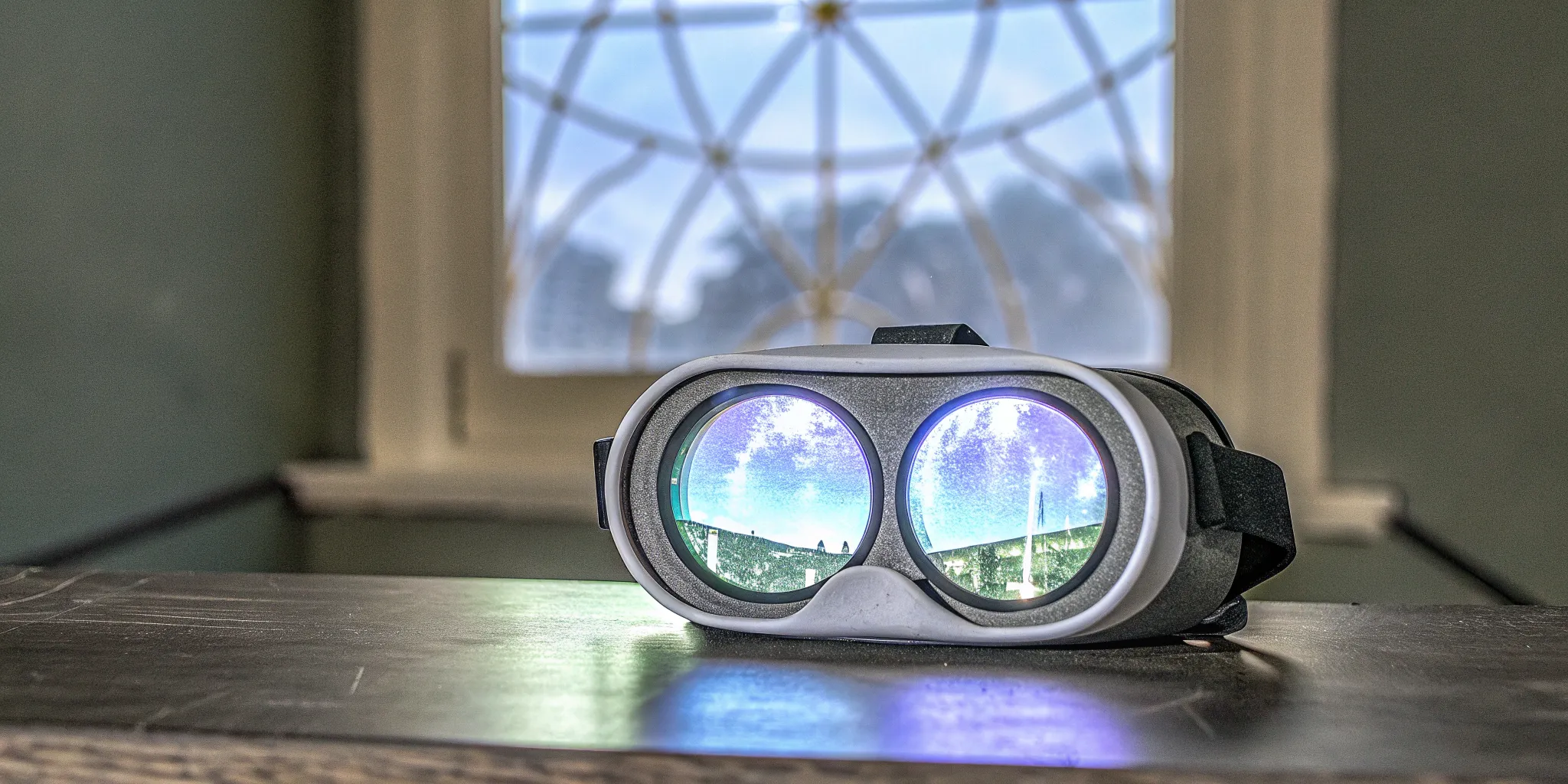
Ever wonder what makes a virtual world feel so convincing? It's not just a clever illusion—it's a carefully orchestrated symphony of hardware and software working in perfect harmony. The magic of stepping into another reality comes from powerful technology designed to trick your senses in the best way possible. From the high-resolution headset that acts as your portal to the controllers that become your hands, every component is crucial. Understanding the tech that powers your adventure gives you a new appreciation for the seamless VR user experience. Let's pull back the curtain on the key pieces that transport you from our world to another.
Key Takeaways
- Step inside the game, don't just watch it on a screen: Virtual reality's core difference is "presence"—a powerful feeling created by 360-degree visuals and sound that syncs your real-world movements to your in-game actions, tricking your brain into believing you're truly there.
- A great VR experience feels effortless and comfortable: Top-tier games prioritize intuitive design, using natural hand gestures and clear visual cues so you can act on instinct. Smooth performance is also key to preventing motion sickness and keeping you focused on the fun.
- The best adventures are shared and shaped by players: Multi-player VR turns a solo activity into a memorable team event, while the most successful games are built on community feedback. This commitment to constant improvement ensures the experience is always engaging and fun.
How is VR Different From a Regular Screen?
When you think about gaming, you probably picture a screen—a TV, a computer monitor, or your phone. You're looking at a world from the outside. Virtual reality completely flips that script. Instead of watching the action unfold on a flat surface, VR puts you directly inside it. It's the difference between watching a movie about climbing Mount Everest and feeling like you're actually there, seeing the vast landscape stretch out below you.
This isn't just about a bigger, more curved screen. VR uses specialized hardware and software to create a fully immersive, 360-degree digital environment. It tricks your brain into believing what you're seeing and hearing is real, creating a powerful sense of presence that a regular screen simply can't replicate. When you move your head, the world moves with you. When you walk around in a free-roam space, your character walks, too. This direct connection between your physical actions and the virtual world is what makes the experience so compelling and fundamentally different from any other type of digital entertainment. It's a full-body, sensory experience that engages you on a much deeper level.
The Building Blocks of a Virtual World
So, how does VR pull this off? At its core, VR creates a completely digital world using powerful software. The goal is to make you feel like you are really there by stimulating your sight and hearing in a coordinated way. When you put on a VR headset, two small screens—one for each eye—display a stereoscopic 3D image that mimics how we see in real life, creating a true sense of depth. The headset also tracks your head movements, so when you look up, down, or side-to-side, your view of the virtual world changes instantly, just as it would in reality. This seamless tracking is what makes the digital environment feel stable and believable.
Why VR Feels So Real
The magic ingredient in VR is a concept called "presence." One of the key elements of virtual reality is the sense of presence it creates. When you put on a VR headset, you feel as if you are truly inside the experience. This happens because the headset completely blocks out your view of the real world, immersing you in the digital one. Your brain stops processing your physical surroundings and starts accepting the virtual environment as its new reality. In a free-roam VR experience, this feeling is amplified because you can physically walk, duck, and move around the space, and your avatar does the same. This one-to-one mapping of movement makes the illusion incredibly powerful and convincing.
Engaging All Your Senses
A regular screen mostly engages your eyes and ears. VR takes this to a whole new level. Because VR replaces real life with a virtual one, anything you can imagine can be designed. You can experience sight, sound, touch, and depth in a virtual world. High-fidelity headphones provide 3D spatial audio, so you can hear where sounds are coming from—a zombie groaning behind you or a teammate calling out to your left. Some experiences also use haptics, which is technology that provides tactile feedback, allowing you to feel vibrations from things like weapon recoil or environmental effects. This multi-sensory approach is what makes the virtual world feel so tangible and alive.
What Makes a Great VR Experience?
Ever wonder what separates a mind-blowing VR adventure from one that just feels like a clunky video game? It's not just about strapping on a headset. A truly great VR experience is a carefully crafted illusion, built from several key ingredients that work together to trick your senses and transport you to another world. From the digital space you walk through to the way you interact with it, every detail matters. Let's look at what makes a virtual reality experience truly unforgettable.
Creating Believable Virtual Spaces
The magic of VR lies in creating a sense of "presence"—that powerful feeling that you've actually been transported somewhere else. When it's done right, your brain stops seeing a screen and starts believing you're standing on the edge of a skyscraper or exploring an alien planet. This is achieved through meticulously designed environments where the scale feels right and the world follows consistent rules. It's this deep level of immersion that makes you forget you're in a room and allows you to fully engage with the virtual environment. A believable space is the foundation of any great VR adventure.
Bringing Worlds to Life with Sound and Touch
What you see is only part of the story. A truly immersive world comes alive when it engages more than just your eyes. High-quality, spatial audio is crucial; hearing an enemy sneak up behind you or the echo of your voice in a vast cavern makes the world feel real and reactive. Some experiences add another layer with haptics—physical feedback that lets you feel the rumble of an explosion or the kick of your weapon. These sensory details are what enhance the immersive experience, turning a passive viewing into an active, believable adventure that you can hear and feel.
The Importance of Great Visuals
Of course, what you see is incredibly important. High-fidelity graphics are the backbone of a convincing virtual world. A crisp, clear picture with a high refresh rate ensures smooth motion and prevents you from noticing the individual pixels, which can instantly break the illusion. The goal is to stimulate your sight so effectively that your brain accepts the digital world as a physical place. When the visuals are seamless and stunning, you're not just looking at a game; you're looking out at a new reality, whether it's a zombie-infested city or a fantastical, glowing forest.
How You Interact with the Game
The final piece of the puzzle is how you interact with the world around you. The best VR experiences move beyond simple button-pressing. They let you use your body naturally. You might physically duck to dodge an incoming projectile, reach out with your hands to pick up an object, or aim your weapon by looking down its sights. This intuitive movement is what makes free-roam VR so powerful—your actions in the real world translate directly into the game. When you can create a seamless experience with natural gestures and movements, the line between player and character completely disappears.
Common VR Challenges and How to Solve Them
Jumping into a virtual world is an incredible feeling, but like any new activity, it can take a little getting used to. The most immersive experiences are designed to trick your brain into believing you're somewhere else entirely. While that's part of the fun, it can sometimes lead to a disconnect between what you're seeing and what your body is feeling. The good news is that professional VR is designed to minimize these issues, and there are simple things you can do to ensure your adventure is as comfortable as it is thrilling.
How Your Body and Mind React to VR
When you first put on a headset, your brain is processing a lot of new information. It sees you soaring through space, but your inner ear, which controls balance, knows you're standing still. This sensory mismatch is the primary cause of motion sickness for some people. You might also notice a bit of eye strain as your eyes adjust to focusing on screens so close to your face. These reactions are completely normal and often depend on the quality of the VR system and your own sensitivity. Understanding the pros and cons of virtual reality helps you know what to expect and prepare for a great time.
Tips to Avoid Motion Sickness
The best way to prevent motion sickness is to choose a high-quality, well-designed VR experience. Professional setups ensure the virtual world moves smoothly without sudden, jarring changes, which helps maintain a stable frame of reference for your brain. If you do start to feel a little off, just take a short break. Close your eyes for a moment, take a few deep breaths, and focus on your physical surroundings. Staying hydrated can also make a big difference. These simple steps are key to creating immersive user experiences that are enjoyable for everyone, from first-timers to seasoned pros.
Staying Comfortable During Gameplay
A great VR game shouldn't feel like a workout unless that's the point. Comfort is about more than just avoiding motion sickness; it's also about how you physically interact with the game. A well-designed experience won't require you to make constant, tiring movements or hold your arms in awkward positions. Interactive elements should be placed within easy reach, making your actions feel natural and intuitive. The goal is for you to forget about the technology and simply get lost in the adventure. When the gameplay feels effortless, you can play longer and have a much better time.
Playing it Safe: VR Health and Safety
Your safety, both in the real and virtual world, is the top priority. That's why playing in a dedicated space designed for VR is so important. Free-roam arenas provide plenty of room to move without worrying about bumping into furniture or walls. In the game itself, clear feedback and visual cues help you understand your surroundings and interact safely. It's also a good idea to ease into longer sessions if you're new to VR. Listen to your body and don't hesitate to take a break. A truly great virtual reality experience is one that's both exhilarating and safe for everyone involved.
What Makes a VR Interface Easy to Use?
When you jump into a virtual world, the last thing you want is to get stuck fumbling with confusing controls or menus. Unlike using a mouse and keyboard, a VR interface is your entire body's connection to the game. A great interface feels so natural that you forget you're even using one. It's the invisible bridge that lets you fully immerse yourself in the adventure, making every action feel intuitive and immediate. The goal is to move, interact, and play without ever having to stop and think, "Now, which button do I press?"
The best VR experiences are designed with you in mind, focusing on interactions that feel like second nature. This means using simple hand gestures, clear visual guides, and even your own voice to control the action. When developers get this right, the technology melts away, leaving you with the pure, exhilarating feeling of being somewhere else entirely. It's this seamless connection that turns a fun game into an unforgettable experience, whether you're fighting off zombies with your team or solving a mind-bending puzzle in a virtual escape room. A user-friendly interface is the secret ingredient that makes you feel powerful, capable, and truly present in the virtual world.
Using Your Hands with Gesture Controls
Imagine reaching out and picking up an object just like you would in real life. That's the magic of gesture controls. The most intuitive VR games are built around natural hand actions, allowing you to use your hands to point, grab, throw, and interact with the world around you. Instead of memorizing complex button combinations, you simply do what feels right. This direct interaction makes the experience incredibly immersive and easy to learn. Waving to a teammate or giving a thumbs-up feels completely natural because you're using your own body language. This approach removes the barrier between you and the game, letting you act on instinct and stay focused on the adventure.
Speaking Your Mind with Voice Commands
Sometimes your hands are busy holding off a horde of zombies or clinging to a virtual ledge. That's where voice commands come in. Being able to speak your commands adds another layer of immersion and convenience, letting you perform actions without lifting a finger. You can use voice commands and get audio feedback for a truly hands-free experience, which is perfect for fast-paced action. Shouting "Reload!" to your weapon or telling your AI companion to open a door makes you feel like a true commander in the virtual space. It's a simple but powerful feature that keeps the gameplay flowing smoothly and makes you feel even more connected to the world.
Getting Clear Visual Cues in the Game
A great VR game guides you without holding your hand. It uses subtle visual and audio cues to direct your attention and help you understand what to do next. This could be a soft glow on an important item, a shimmering pathway leading to your objective, or a heads-up display that provides critical information without cluttering your view. Sound also plays a huge role, as a specific chime might confirm an action or a directional sound can alert you to danger. These essential cues guide users through the experience, making interaction feel intuitive. By providing clear, non-intrusive guidance, the game helps you stay immersed and focused on the mission.
Simple and Clean Menu Design
Nothing pulls you out of an immersive experience faster than a clunky, confusing menu. A well-designed VR interface keeps its menus simple, clean, and easy to use. The key is to keep things consistent with uniform colors, fonts, and layouts so you can find what you need without a second thought. Whether you're changing weapons, checking your score, or adjusting settings, the process should be quick and painless. The menu should appear seamlessly within the game world and disappear just as easily, letting you get right back to the action. A streamlined design respects your time and keeps your head in the game, where it belongs.
Designing Comfortable Virtual Environments
A great virtual reality experience is about more than just cool graphics and exciting gameplay; it's about making you feel truly present in another world. A huge part of that feeling comes down to comfort. If a virtual environment is jarring or disorienting, it can quickly pull you out of the moment and ruin the fun. That's why designers put so much thought into creating spaces that feel natural and intuitive. From the way you move to the clarity of the world around you, every detail is crafted to ensure your brain and body are in sync, letting you focus on the adventure without distraction. When done right, you completely forget about the headset and simply live in the moment.
How Smooth Motion Affects Comfort
Have you ever felt a little queasy on a rollercoaster or a bumpy car ride? A similar feeling can happen in VR if the movement isn't handled just right. This is because your eyes are telling your brain you're moving, but your inner ear, which controls balance, says you're standing still. This sensory mismatch is the main cause of motion sickness. To prevent this, VR developers design smooth transitions and predictable movements. Sudden, jerky motions are avoided in favor of gradual acceleration or clever mechanics like teleportation. This ensures your virtual journey feels as natural as walking, keeping you comfortable and fully immersed in the action.
Why a Clear Picture Matters
In virtual reality, you aren't just looking at a screen—you're surrounded by an entirely new world. Your field of view is much wider, and designers have to account for everything you can see, from what's right in front of you to the edges of your peripheral vision. A crisp, high-resolution image is crucial for making that world feel believable. If the visuals are blurry or laggy, it can cause eye strain and shatter the illusion of being there. A high-quality VR experience prioritizes a clear, stable picture across your entire line of sight, making the environment feel solid, real, and comfortable to be in.
Keeping the Rules of the World Consistent
For a virtual world to feel real, it needs to follow its own set of rules consistently. This means the visual style—from colors and textures to the way objects are organized—should remain coherent throughout the experience. If a door handle works one way in one room and completely differently in the next, it can be confusing and frustrating. Good VR design establishes a clear and consistent language for how you interact with the world and how that world presents itself. This predictability helps your brain accept the new reality, making your interactions feel intuitive and allowing you to stay focused on your objectives.
The Importance of Taking Breaks
Even the most comfortable VR experience is a new kind of workout for your brain and body. You're moving, reacting, and processing a ton of information. Because of this, it's important to take breaks to rest your eyes and recharge. Many people find that playing in sessions, with short breaks in between, is the best way to enjoy VR for longer periods. Game designers are well aware of this and often build experiences that are perfect for a single session of play. Listening to your body is key; if you start to feel tired or strained, stepping out for a few minutes will help you come back refreshed and ready for more adventure.
Making VR an Experience for Everyone
Virtual reality has this incredible power to transport us to new worlds, but the magic really happens when you can share that adventure with friends and family. The best VR experiences are the ones that everyone can jump into, regardless of their physical abilities or how they process information. That's why thinking about accessibility isn't just a technical detail—it's the heart of creating a truly shared and memorable experience. When a game is designed with everyone in mind from the start, it breaks down barriers and ensures no one gets left on the sidelines.
From providing options for players with limited mobility to using clear cues that guide you through the game, a thoughtful approach to design makes all the difference. It's about giving players the control they need to feel comfortable and confident. When you can adjust settings to fit your personal preferences, you're free to lose yourself in the fun. Ultimately, the goal of inclusive design is to build virtual worlds where every player feels welcome, understood, and ready for an adventure. This commitment to accessibility is what turns a good VR game into a great one that brings people together.
Features for Different Physical Abilities
Many VR games are active, asking you to stand, walk around, and use hand controllers to interact with the world. While that's part of the fun, it can also be a barrier for people with mobility challenges. The good news is that developers are creating more flexible options. Many top-tier games now include seated or stationary modes that offer the full experience without requiring you to move around the room. Some also provide alternative control schemes, like one-handed modes or button remapping, so you can play comfortably. These accessibility features ensure that the whole group can join the mission, making it a truly shared adventure.
Welcoming All Cognitive Styles
A great VR experience is about more than just physical movement; it's also about making sure the game is easy to understand and not overwhelming. For some, a flood of new information can be confusing or stressful. That's why designers use a mix of cues to help guide you. Clear visual hints, distinct sounds for different actions, and even controller vibrations can help you make sense of the virtual environment without needing to read a manual. By designing VR with different cognitive styles in mind from the very beginning, developers create a smoother, more intuitive experience where you can focus on the fun instead of trying to figure out the rules.
How to Personalize Your Settings
Having the ability to tailor a game to your own needs is a game-changer. We all have different preferences, and what works for one person might not work for another. That's why personalization is key to a comfortable VR experience. Top VR platforms and games let you adjust a wide range of settings to create your perfect setup. You can often change things like text size to make it easier to read, tweak color schemes for better visibility, and adjust sound levels so nothing is too loud or too quiet. This level of control empowers you to fine-tune the experience, ensuring it's just right for you.
Designing VR That Includes Everybody
Ultimately, making VR accessible for everyone comes down to a commitment to inclusive design. This means developers aren't just adding accessibility features as an afterthought; they're building them into the core of the experience from day one. Designers are constantly learning and experimenting with new ways to make interactions more meaningful and intuitive for all players. This forward-thinking approach is what pushes the entire industry forward. By focusing on creating experiences that are fundamentally welcoming, developers can build more immersive and engaging worlds where every single player feels like they belong.
The Tech That Powers Your VR Adventure
Ever wonder what makes a virtual world feel so convincing? It's not just a clever illusion—it's a carefully orchestrated symphony of hardware and software working in perfect harmony. The magic of stepping into another reality comes from powerful technology designed to trick your senses in the best way possible. Understanding the components that power your adventure can give you a whole new appreciation for the experience. Let's pull back the curtain on the key pieces of tech that transport you from our world to another.
A Look at the Hardware
The foundation of any VR experience is the hardware. It starts with the headset, which acts as your personal portal to the virtual world. Inside, two high-resolution screens—one for each eye—create a stereoscopic 3D image that provides a true sense of depth. Integrated headphones deliver spatial audio, making it sound like a zombie is creeping up behind you or a spaceship is flying overhead. Your hands in the game are represented by controllers, which are tracked in 3D space so you can naturally reach out, grab objects, and interact with your surroundings. In a free-roam experience, a powerful computer worn in a backpack handles all the processing, giving you the freedom to move without being tethered by wires. This combination of VR equipment is what makes the digital world feel tangible.
Why Smooth Performance is Crucial
For a virtual world to feel real, it has to respond just like the real world does. This is where performance becomes critical. The goal is to achieve a deep sense of "presence," where your brain fully accepts the virtual environment. This is heavily influenced by two key factors: latency and frame rate. Latency is the tiny delay between when you move your head and when the image in the headset updates. If it's too high, the world feels sluggish and can cause motion sickness. The frame rate is the number of images displayed per second. A high, stable frame rate creates a smooth, fluid picture, while a low one makes the world feel choppy and unrealistic. Maintaining high performance is essential for keeping you comfortably immersed in the action.
How Multi-Player VR Works
Playing with friends is what takes VR to the next level, and making it happen is a technical feat. In a multi-player, free-roam environment, the system isn't just tracking you—it's tracking your entire team's position, movements, and actions in real-time within the same physical space. This allows for genuine social interaction and teamwork. You can see your friends' avatars move as they do, give them a high-five, warn them of danger, or work together to solve a puzzle. This shared experience creates a powerful sense of camaraderie and turns a solo activity into a memorable group adventure. The technology fosters true collaboration in virtual spaces, making you feel like you and your team are truly in the game together.
Testing for a Flawless Experience
A great VR game doesn't happen by accident. It's the result of relentless testing and refinement. Before an experience is ever released to the public, developers spend countless hours observing how people play. They bring in testers of all skill levels to see what feels intuitive and what causes confusion or discomfort. The goal is to make the virtual world feel as natural as the real one. This process of user experience (UX) testing helps designers identify and fix problems, from making menus easier to use to adjusting movement mechanics to reduce the chance of motion sickness. This commitment to quality control ensures that when you step into the game, your focus is on the adventure, not the technology running it.
What's Next for Virtual Reality?
Virtual reality is evolving at an incredible pace, and what feels like science fiction today will be the standard for tomorrow's adventures. The future of VR is focused on making virtual worlds feel completely seamless and intuitive, blurring the lines between the digital and the real. From how we interact with the game to how it responds to us, the next wave of technology promises an even deeper level of immersion.
Beyond Controllers: Hand and Eye Tracking
Soon, you might be able to ditch the controllers altogether. The next frontier is advanced hand and eye tracking, which allows your natural movements to guide your in-game actions. Imagine reaching out to grab an object or pointing to an objective with your own hands, no buttons required. This type of gesture control makes interactions feel more natural and intuitive for everyone. It removes the learning curve of a controller and lets you act on instinct, making it easier to get lost in the game from the moment you put on the headset.
Feeling the Game with Advanced Haptics
What if you could not only see the virtual world but also feel it? Advanced haptics are making this possible. This technology uses touch sensations, like targeted vibrations, to simulate contact and texture. You could feel the rumble of a nearby explosion, the tension of drawing a bowstring, or the subtle click of a switch. While designers are careful not to make these sensations overwhelming, the goal is to add another layer of realism. This haptic feedback makes every interaction more satisfying and believable, pulling you deeper into the experience.
How AI Creates Smarter Adventures
Artificial intelligence (AI) is set to completely change the landscape of VR gaming. AI can create smarter, more responsive virtual worlds and characters that react realistically to your presence and choices. Imagine enemies that learn from your tactics or friendly characters who have truly dynamic conversations. The future of VR will likely include Artificial Intelligence to make experiences even more powerful and personalized. This means games will be less predictable and more replayable, with adventures that feel uniquely tailored to you every time you step inside.
New Ways to Be Social in VR
Virtual reality is becoming an incredible way to connect with others. The future holds even richer social experiences, moving beyond simple chat to shared activities that feel just like hanging out in person. VR helps users feel fully involved in what they're doing, giving them more control and freedom than traditional games. This is the foundation for creating complex social spaces and team-based adventures that build real camaraderie. As the technology grows, so will the demand for designers who know how to create VR experiences that bring people together in meaningful ways.
What Separates a Good VR Game from a Great One?
Ever played a game that was technically fine but just didn't stick with you? The same thing happens in virtual reality. A good VR game might have decent graphics and a simple goal, but a great one makes you forget you're even in a game. It pulls you into its world so completely that your heart races, you high-five your teammates, and you feel a real sense of accomplishment when you succeed. This magic doesn't happen by accident. It's the result of a deep focus on the player experience, a willingness to listen, and a constant drive to make things better. Let's look at what truly makes a VR adventure unforgettable.
The Key Metrics for Fun
The secret ingredient to an amazing VR game is a feeling called "presence." It's that powerful sensation of being physically and mentally transported to another place. When a game achieves this, you stop thinking about the headset and start reacting as if everything around you is real. One of the key elements of virtual reality is the sense of presence it creates. When you feel as if you are truly inside the experience, the enjoyment skyrockets. Beyond presence, great games have intuitive controls that feel like a natural extension of your body, clear objectives that keep you moving forward, and a story that makes you care about the outcome. It's this combination that turns a simple game into a genuine adventure.
How Player Feedback Shapes an Experience
The best VR developers know that they can't create a masterpiece in a vacuum. They rely on you, the player, to show them what works and what doesn't. Every time you play, you're providing valuable information about the game's design. Developers carefully analyze user experiences across VR game genres by watching how players move, where they get stuck, and what makes them laugh or shout with excitement. This feedback loop is critical. It helps designers refine everything from the difficulty of a puzzle to the placement of enemies, ensuring the final experience is as thrilling and seamless as possible.
Listening to the VR Community
Beyond individual play sessions, the wider VR community is a goldmine of ideas and insights. The most successful VR studios are deeply engaged with their players, actively reading reviews, participating in forums, and listening to what people are saying. This community input is essential for refining experiences and making them feel authentic. When developers listen, they learn what players truly want, leading to better game mechanics, more engaging stories, and features that make people want to come back again and again. It's a partnership where your voice directly helps shape the future of the games you love to play.
A Commitment to Constant Improvement
A great VR game is never really "done." Technology evolves, player expectations change, and there's always room for improvement. The studios behind the best experiences are dedicated to making their games better over time. Designers must continuously adapt and improve their VR experiences based on user feedback, ensuring the game stays fresh, exciting, and technically sound. This commitment means fixing bugs, adding new content, and tweaking gameplay to keep the challenge just right. It's this dedication that separates a fleeting trend from a lasting, memorable adventure you'll be talking about long after you take off the headset.
Related Articles
- Exploring Advanced Virtual Reality: Top Headsets & Applications
- Affordable Home VR Arcade: How to Get Started
- Austin Tech Attractions: Explore VR, Meetups & More
- Top 5 VR Experiences in Austin
- Zero Latency VR Blog
Frequently Asked Questions
I get motion sick from some video games. Will VR make me feel sick? This is a super common concern, but you might be surprised. Motion sickness in digital experiences often happens when your eyes see movement but your body feels still. Professional free-roam VR is designed to solve this by perfectly matching your physical movements to your actions in the game. When you walk, your character walks, which helps your brain stay in sync. High-end equipment with smooth, high frame rates also makes a huge difference in creating a stable and comfortable experience.
Do I need to be a serious gamer to be good at this? Not at all. In fact, some of the best players are people who have never picked up a traditional game controller. VR is built around natural, intuitive actions like pointing, reaching, and ducking. It's less about memorizing complex button combinations and more about communicating with your team and reacting to the world around you. If you can point at something or give a high-five, you have all the skills you need to jump in and have a great time.
What's the real difference between playing VR at home versus a free-roam experience? The biggest difference is the sense of freedom and scale. Most at-home VR setups limit you to a small, stationary area. In a free-roam arena, you can physically walk, run, and explore a large, open space without being tied to a console. This freedom to move makes the world feel incredibly real and immersive. Plus, you get to share that physical space with your teammates, allowing you to see them and interact in a way that's much more social and engaging.
How does the game actually track my movements without any wires? It's a pretty clever system. The arena is equipped with a series of cameras and sensors that communicate with the gear you're wearing. Your headset, controllers, and the lightweight computer in your backpack all have trackers on them. This allows the system to pinpoint your exact location and translate all of your movements—from turning your head to crouching down—into the game with near-perfect accuracy and no noticeable delay.
Is it hard to learn the controls for a VR game? The best VR games are designed to feel so natural that you don't even think about the controls. Instead of learning a complicated layout, you interact with the world just as you would in real life. You aim by looking down the sights of your weapon, you reach out with your hands to press a button, and you might even use your voice to issue a command. The goal is to make the technology disappear so you can focus completely on the adventure.